

Every message,on tone.
Cadence is an authenticated AI copywriting workspace for service and marketing communications. It drafts. A human decides. The brand book, not the prompt, is what holds the line.
See how it worksHigh volume.Zero room for drift.
A marketing and service team writes the same shapes of message all day — across three languages, four channels and a regulator who reads every claim. Generic AI writing tools are built English-first and know nothing about your brand book, your product names, or your compliance rules.
Prompting drifts
Output quality depends far more on what the model is grounded in than on how the prompt is worded. A maintained knowledge base is what keeps copy on tone.
English-first tools
Weak on HK Traditional Chinese plus Simplified Chinese with preserved technical terminology, and blind to service comms like claim letters and payment notices.
No paper trail
When a claim slips through, nobody can reconstruct which guidance, which model and which version produced it.
Position: Cadence is assistive, not autonomous. It generates draft copy for human review, edit and sign-off. It does not auto-publish or auto-send any communication.
Three layers, and onlyone of them guesses.
Structured brand guidance
A reviewed brand book becomes typed fields: voice pillars, preferred and prohibited terminology, contextual tones, an exact five-token palette, typography and imagery rules.
Grounded generation
The model receives system and compliance rules, factual knowledge, the selected brand profile, then the brief tone — in that order. It writes; it never decides.
Independent validation
Terminology checks are pure code, not prompt guidance. Contextual tone is assessed with evidence and a suggested correction. A named human reviews the evidence.
Brand book in
PDF, DOCX, Markdown or TXT — verified, then extracted into a draft profile.
Human review
An owner or admin reads every extracted field and explicitly activates it.
Brief
Template, audience, goal, channel, language, tone — and which published brand applies.
Generate & refine
Structured guidance enters the prompt. Chat refinement, localization, repurposing.
Check & review
Readiness, terminology, tone, controlled visuals, versioned export.
Authenticated from the front door.
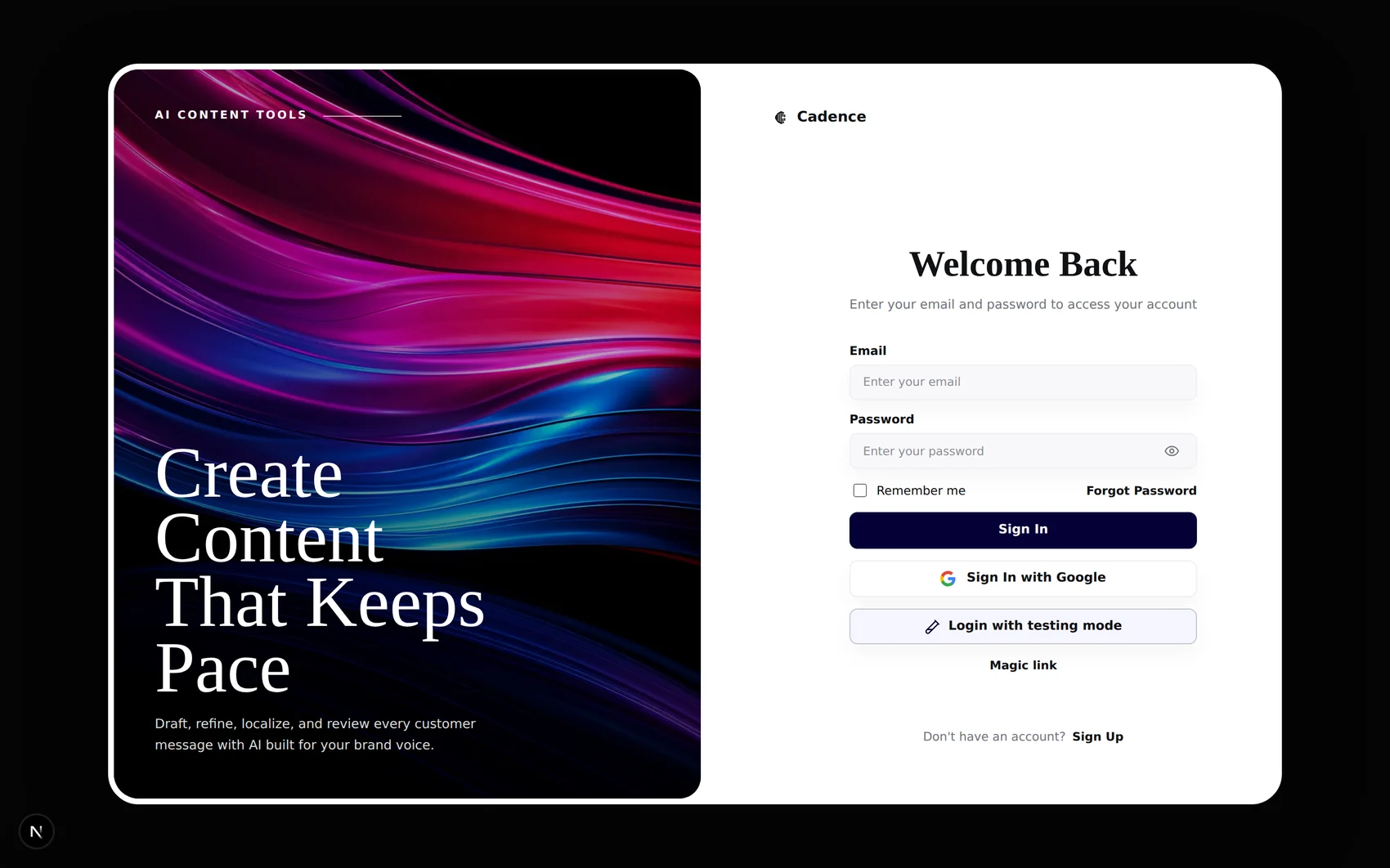
Light · “Create Content That Keeps Pace”
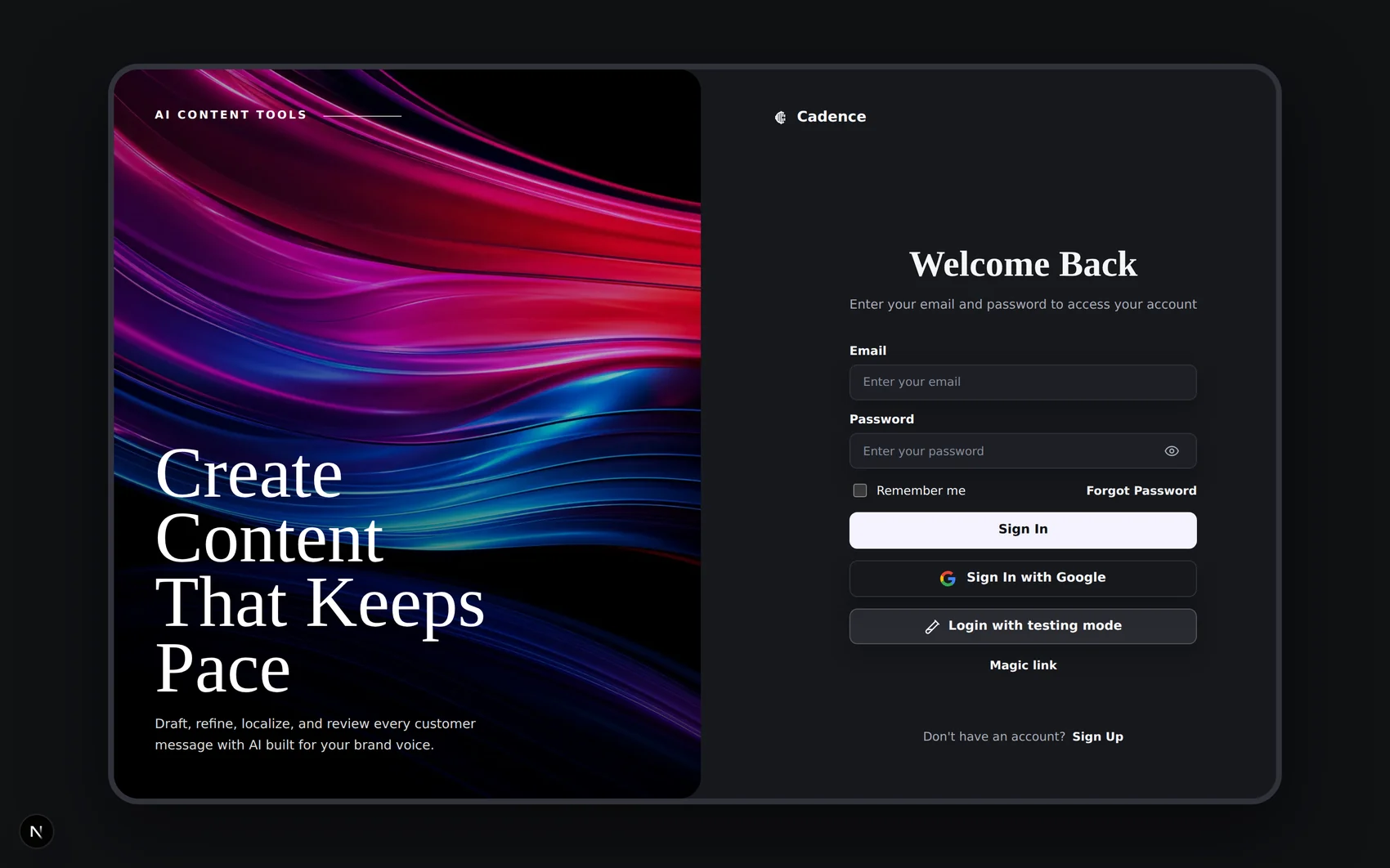
Dark · the whole product ships both ways
Email and password, Google OAuth, or a magic link — all through Supabase Auth with server-refreshed sessions.
Self-service account creation builds the organization workspace behind a distributed lock, so two tabs cannot create two orgs.
Unauthenticated requests to any /app path redirect to login with a sanitised return path.
Demo accounts use the same email and password sign-in as other users. Demo credentials are kept private; access requires a valid account.
One system. Three jobs.
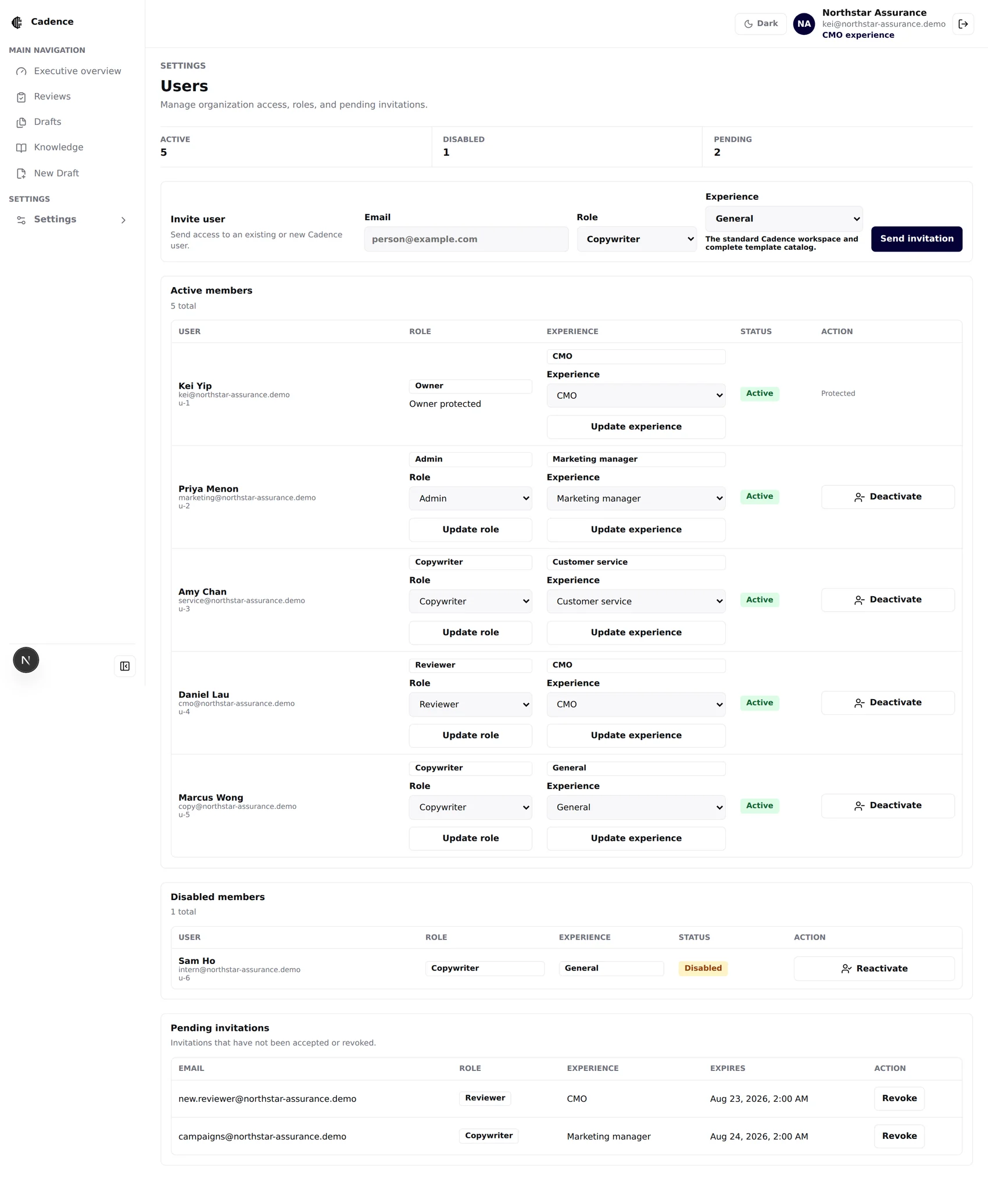
Cadence separates authorization from experience. A security role controls what a user may do. A business persona changes what the workspace recommends and emphasizes. A job title never silently grants a permission.
Role and personaare different columns.
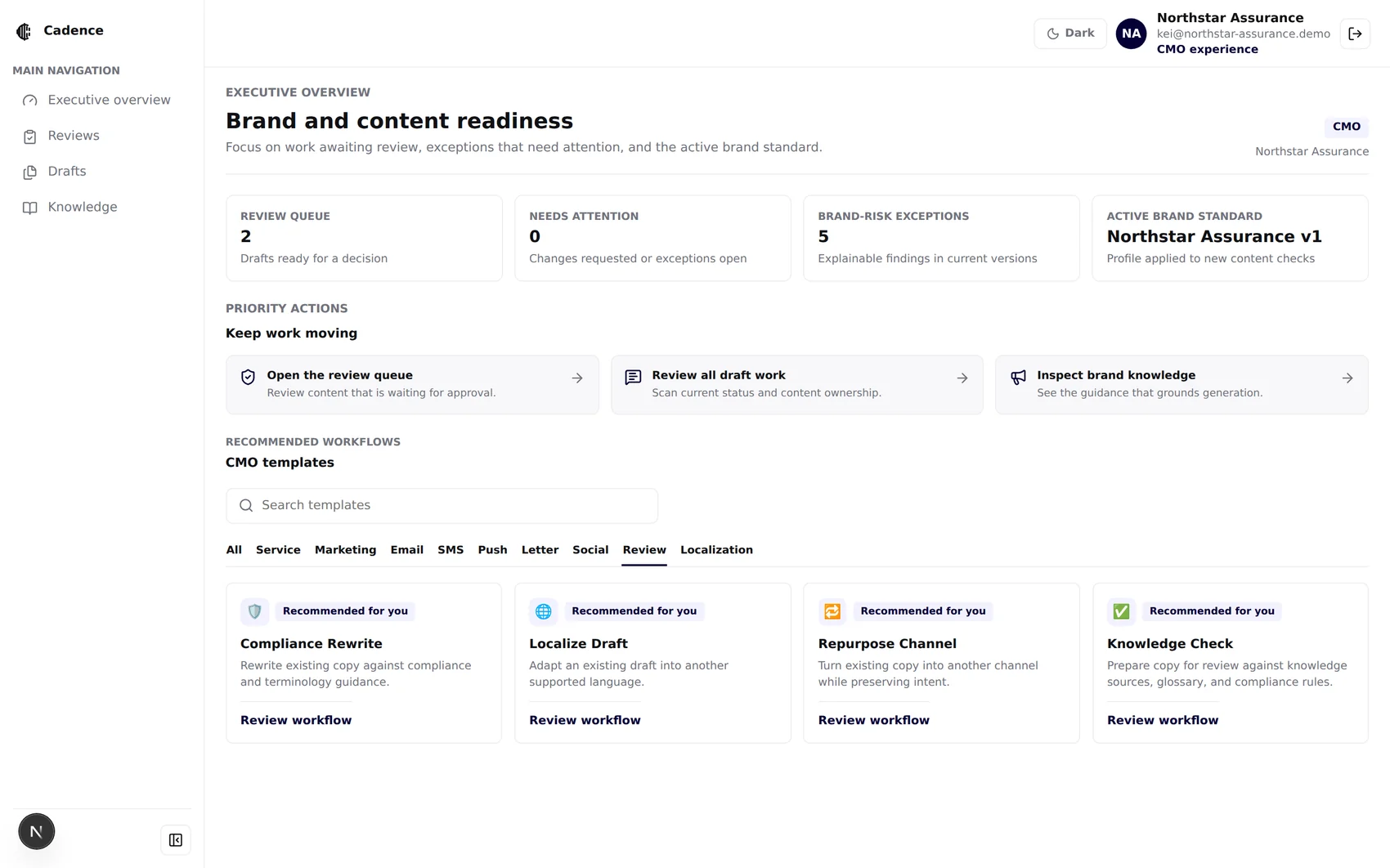
Not a blank page.A review queue.
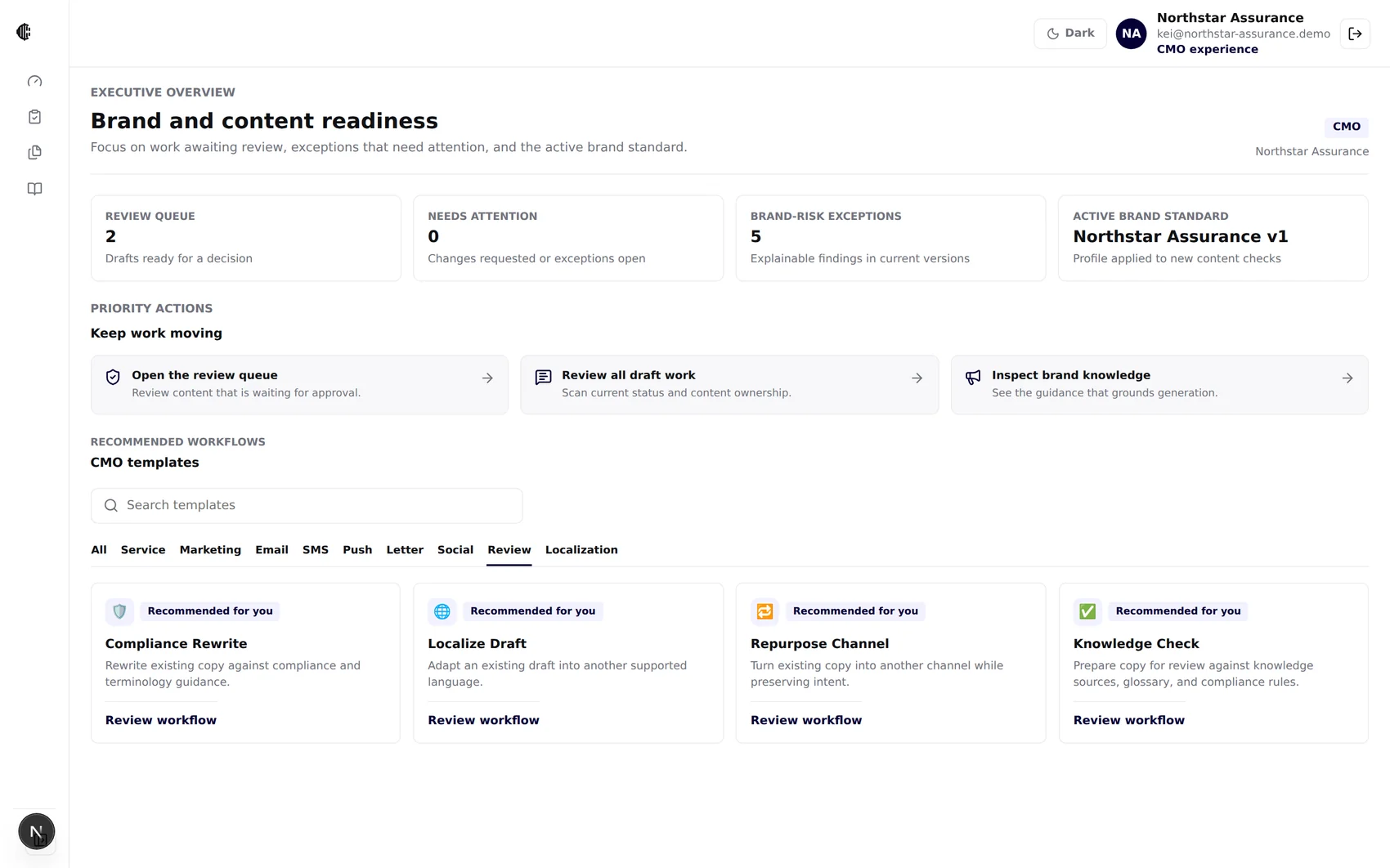
The workspace re-orders itself.
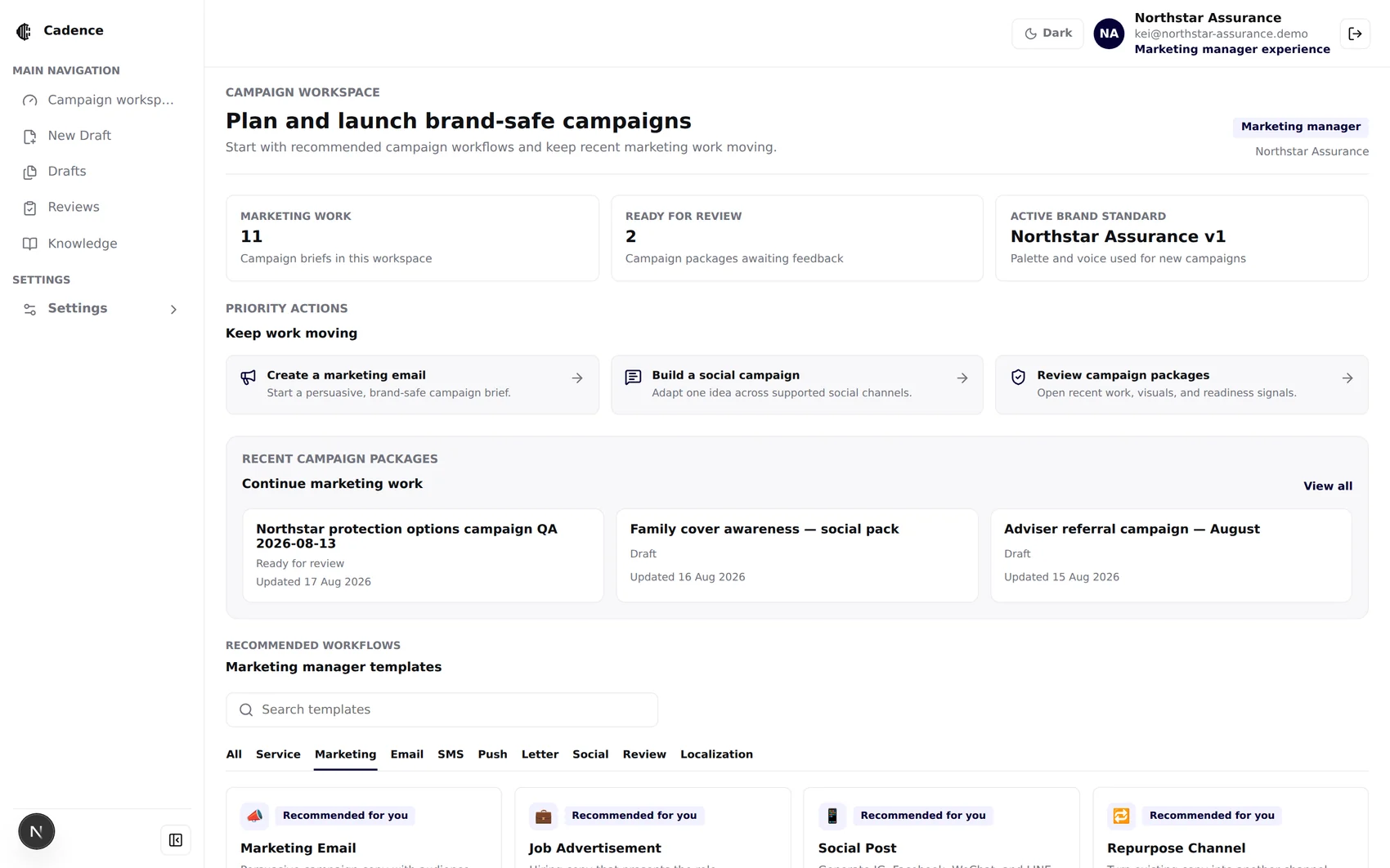
Campaign workspace · marketing work, ready for review
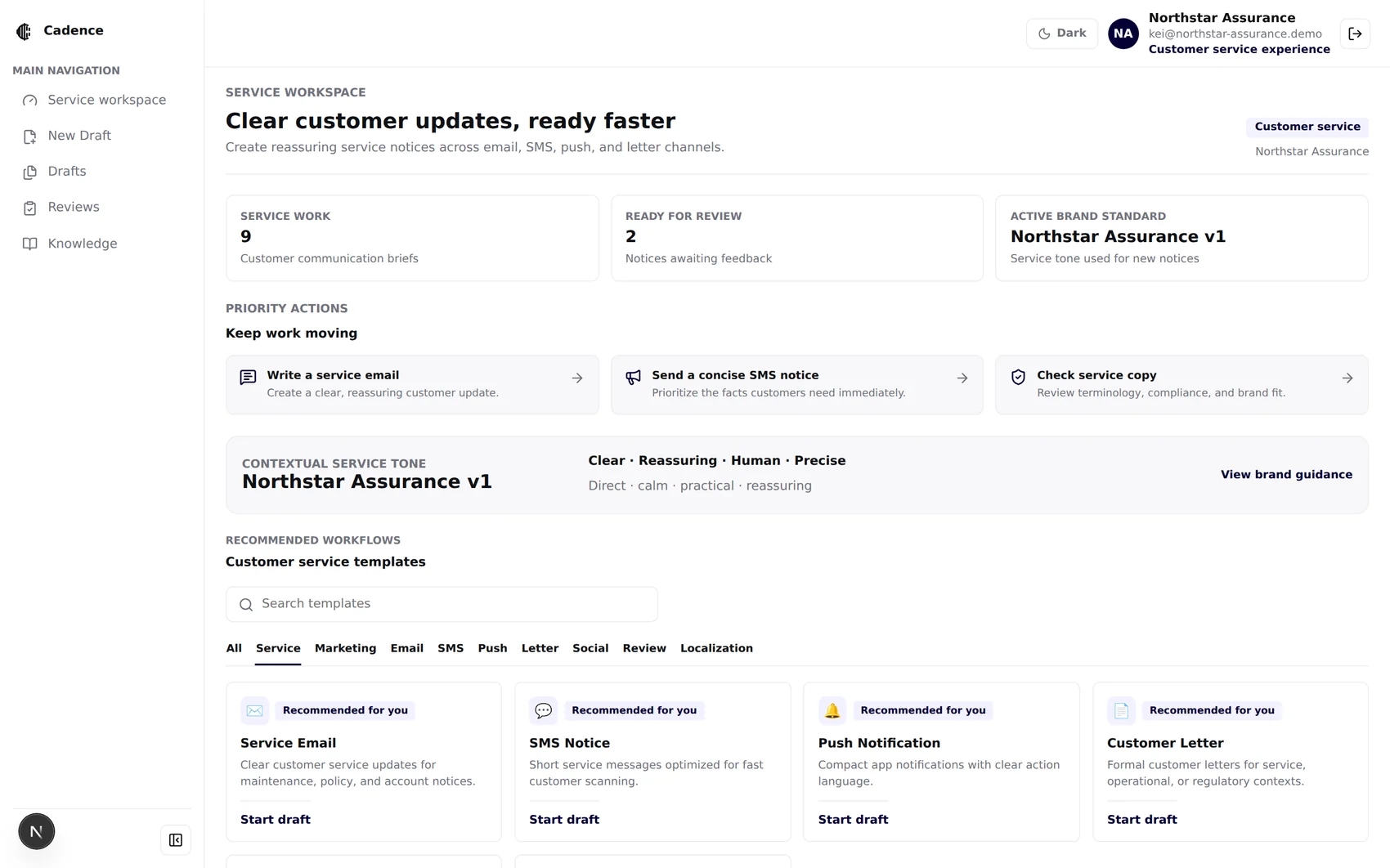
Service workspace · contextual service tone from the live brand
Say this: “We do not turn job titles into security permissions. The persona changes the experience; the existing role model continues to enforce authorization.”
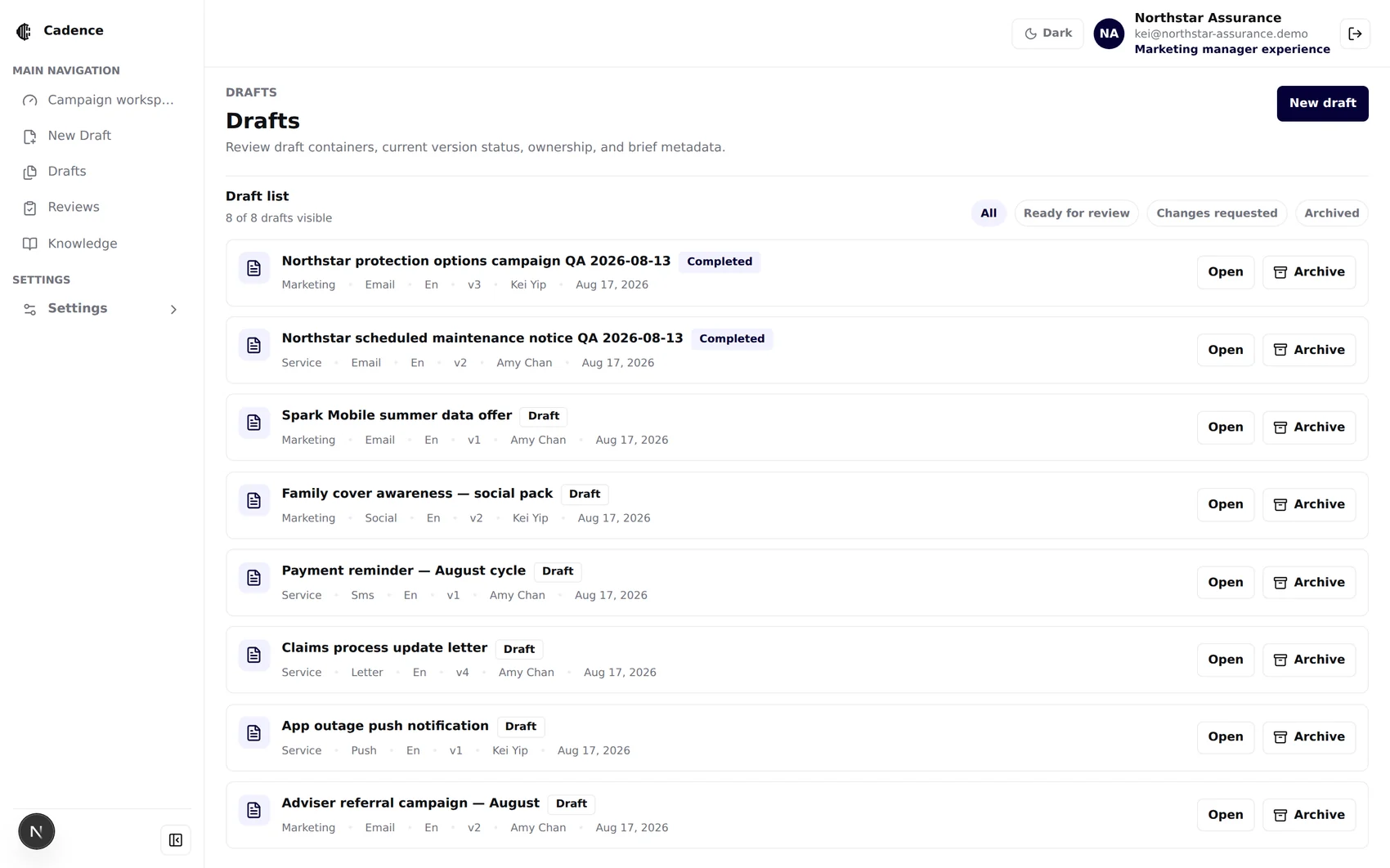
Status, owner,version, channel.
The brand bookbecomes software.
A PDF nobody reads turns into typed, versioned, hash-stamped guidance that generation and checks both depend on — after a human has read every field and pressed Activate.
The file isnot trusted.
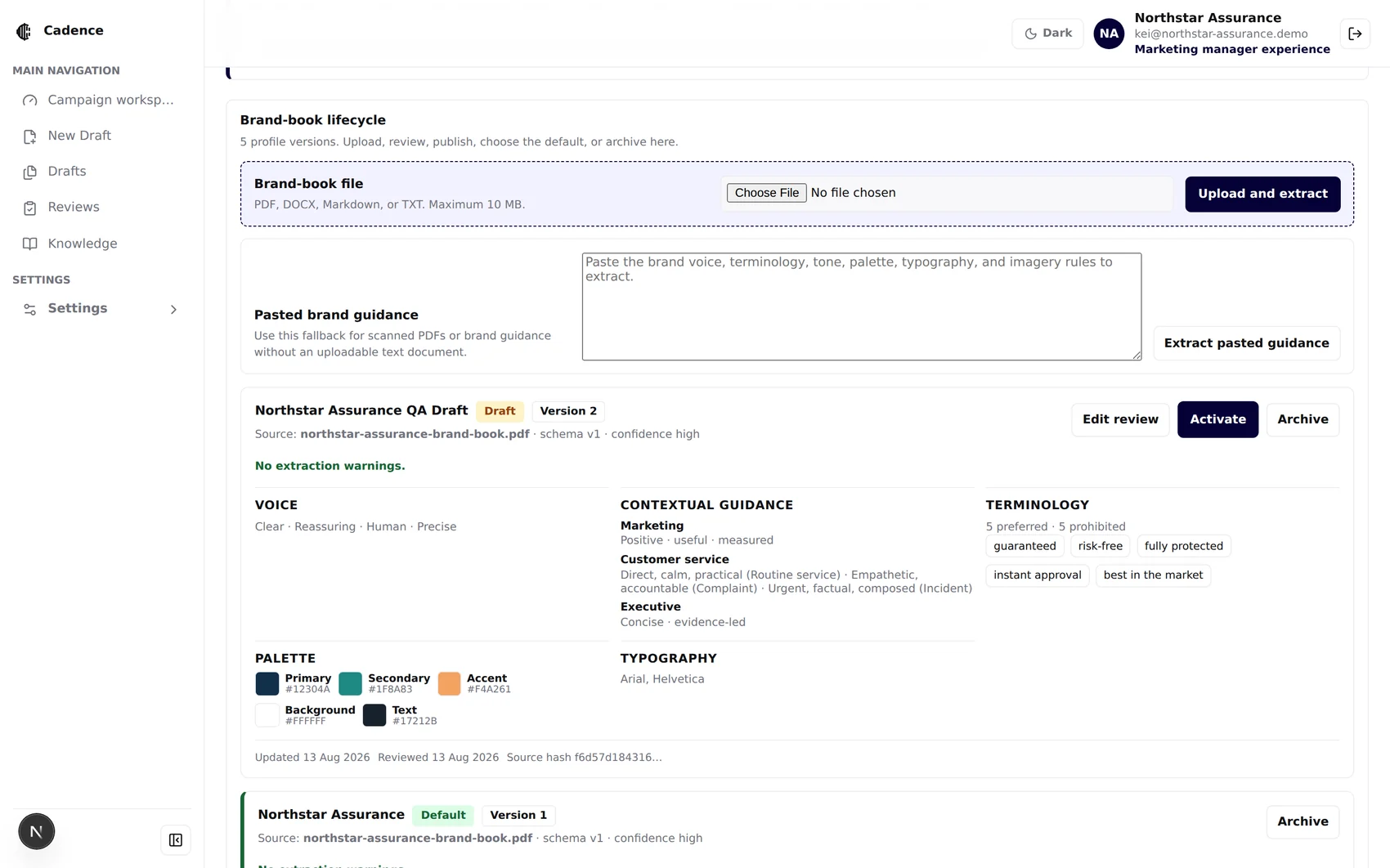
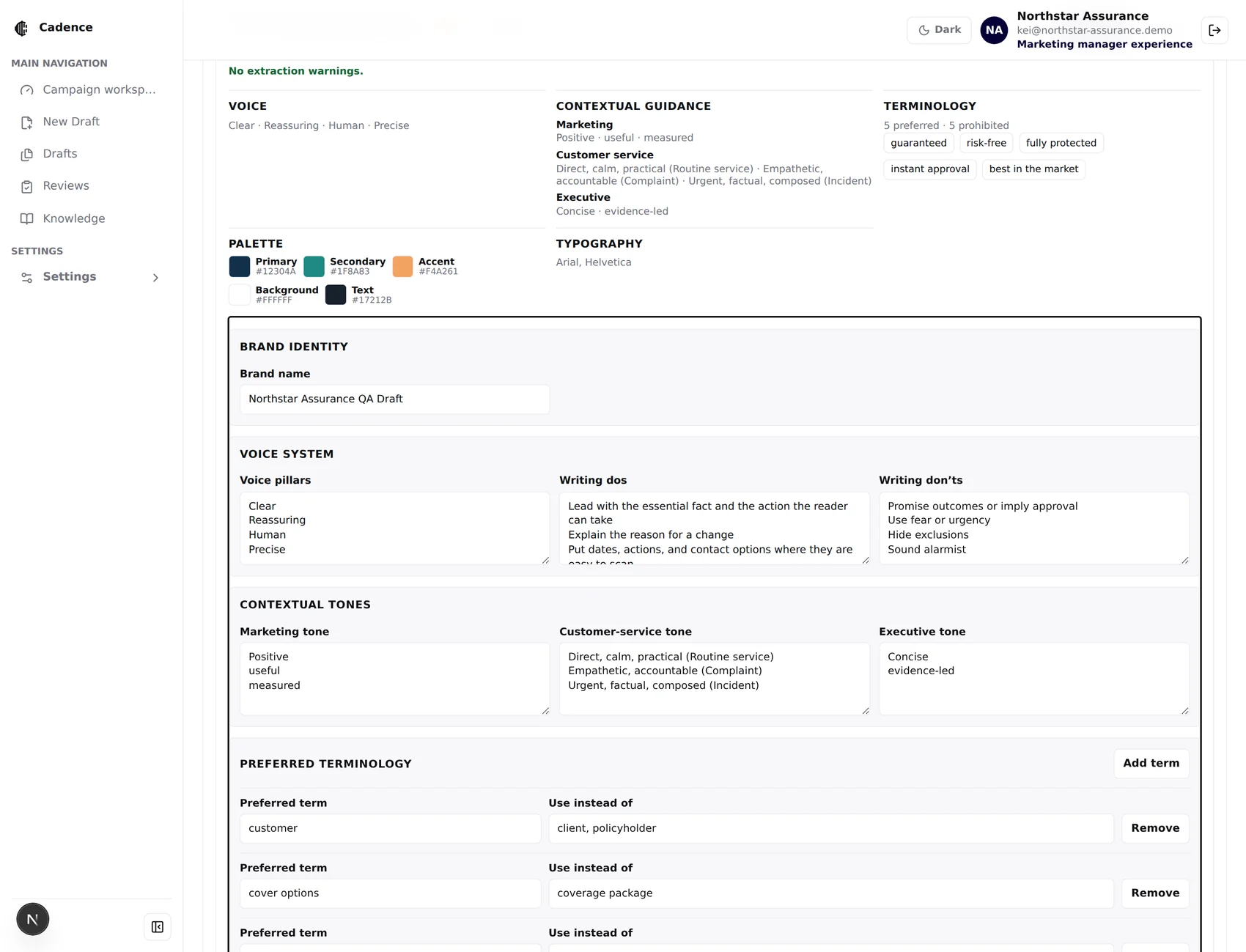
Prose in.Typed fields out.
Say this: “Extraction never silently changes live generation. It creates a draft profile, which a human reviews and explicitly activates.”
Draft. Published.Default. Archived.
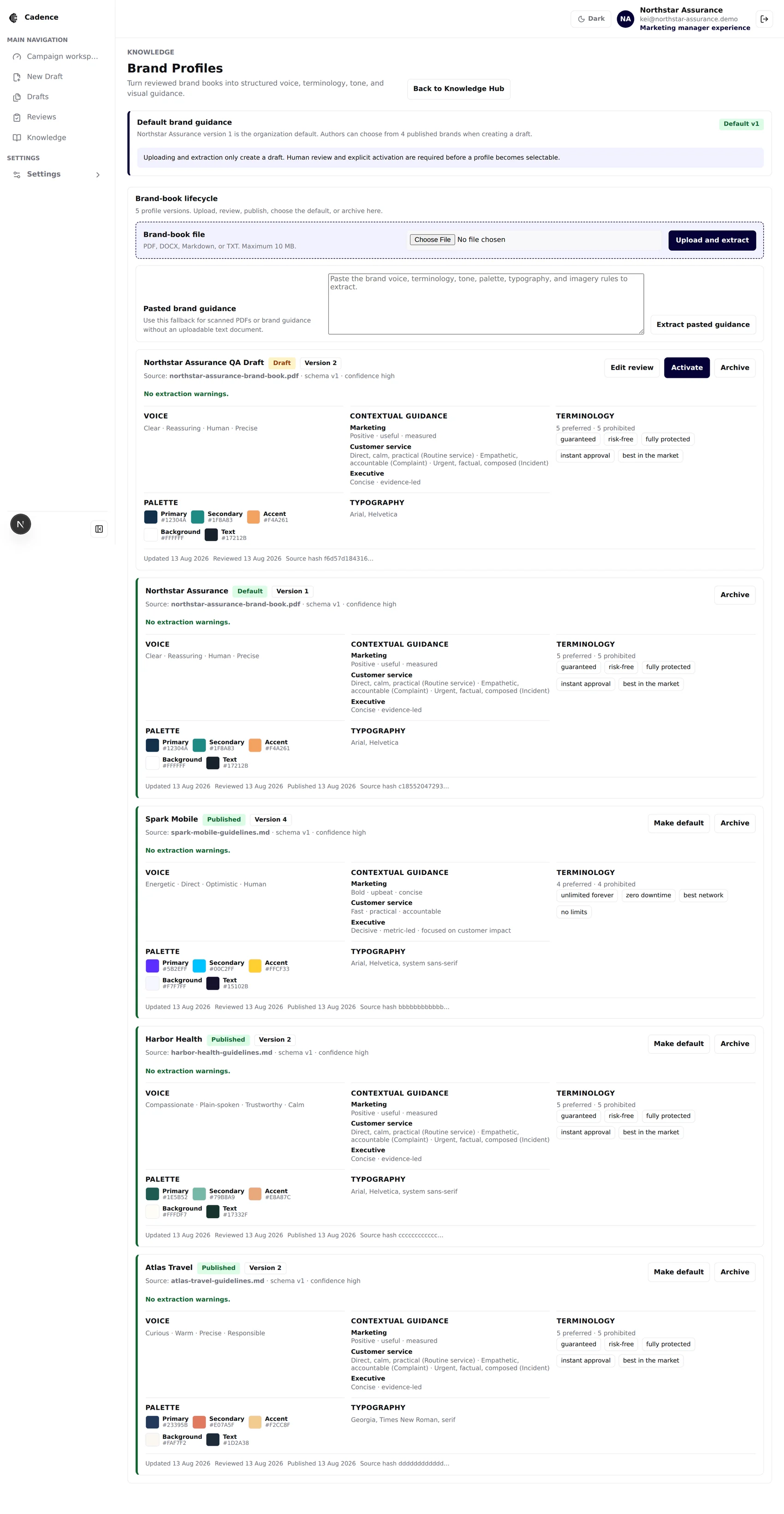
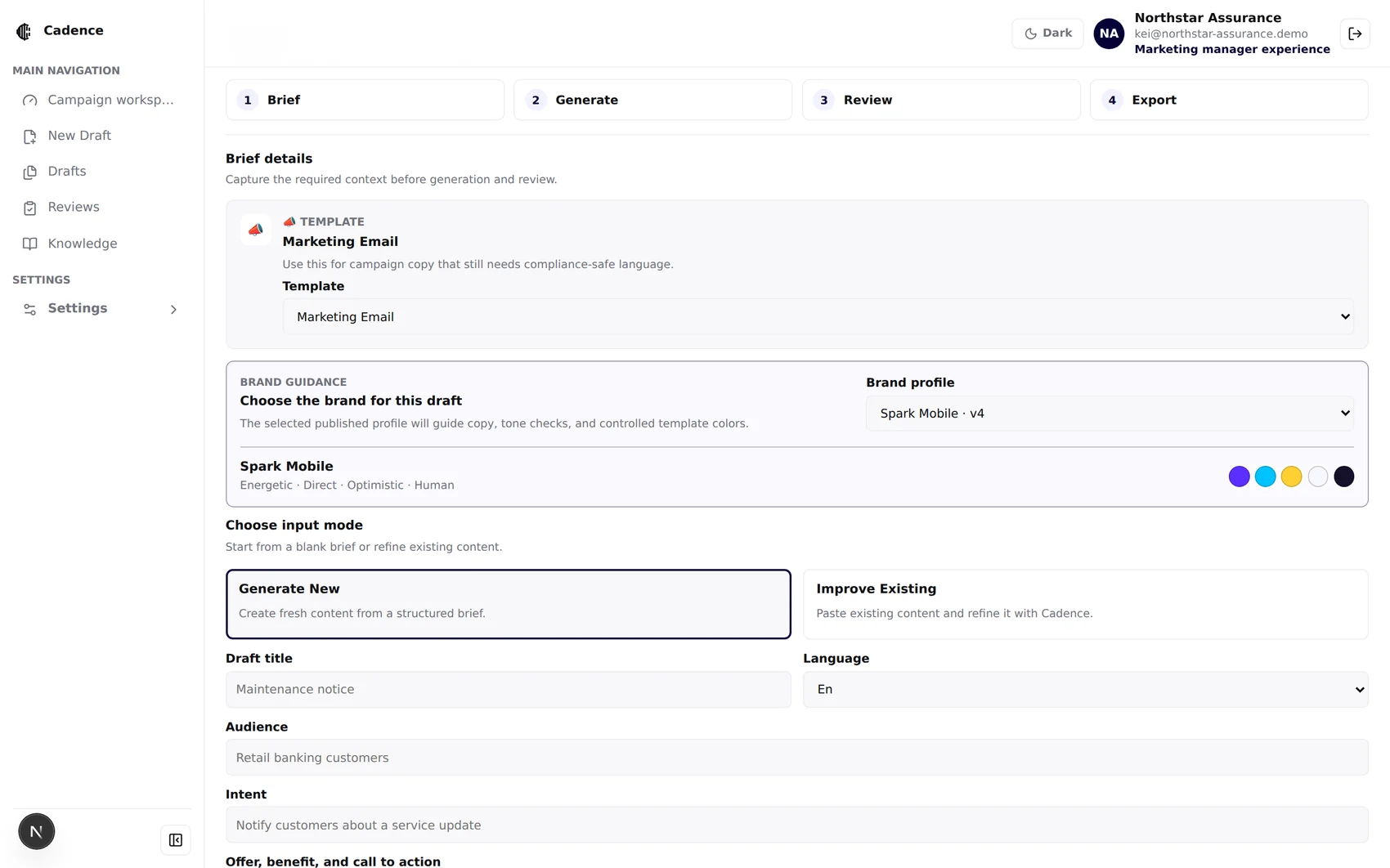
Chosen on the brief.Never inferred.
From brief toa branded package.
Eleven templates, four channels, three languages, one document workspace — and a campaign package that tells you at a glance whether this thing is ready to leave the building.
Eleven startingpoints.
Each template pre-fills communication type, channel, language, tone and length — and decides which controlled visual layout applies.
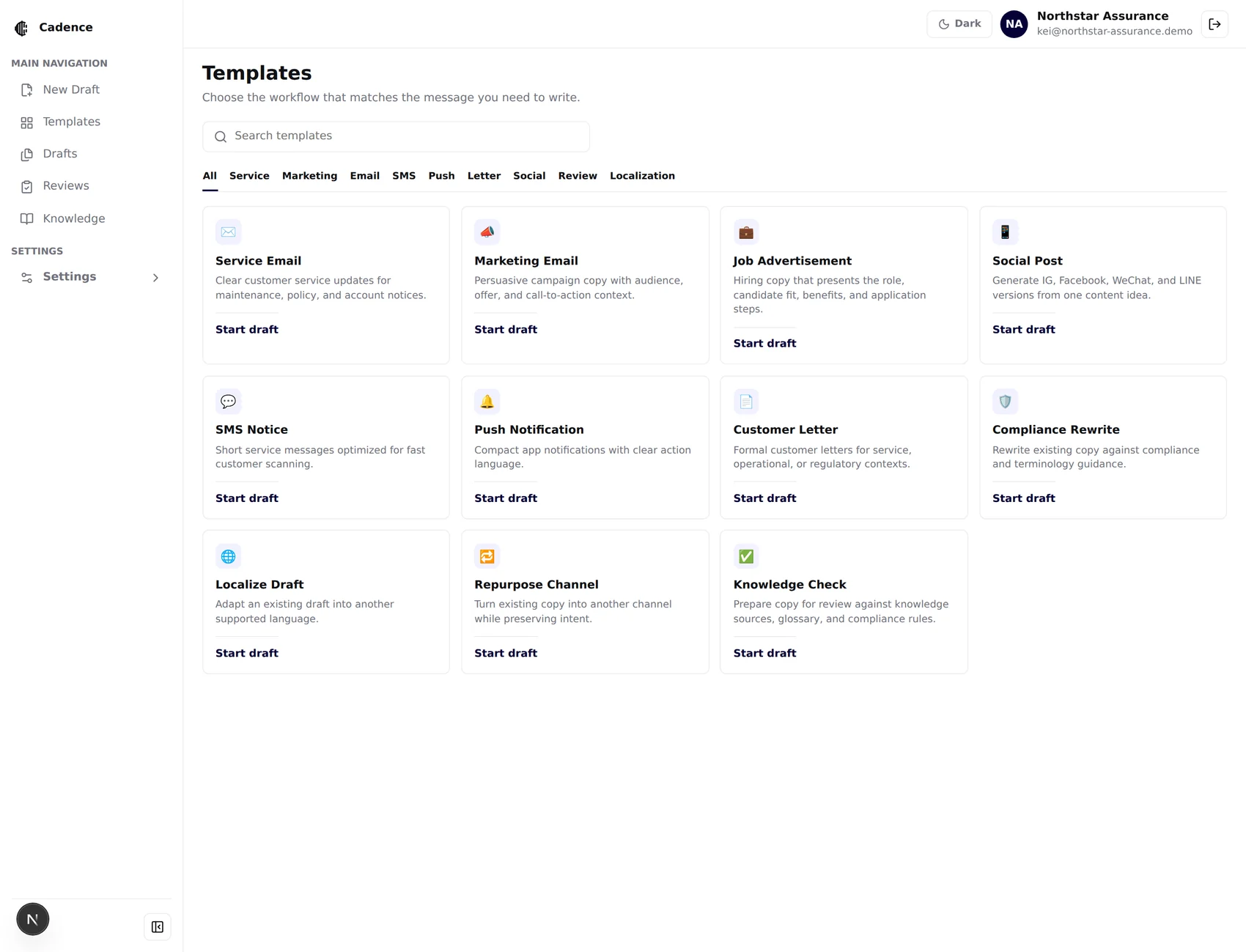
The brief is the contract.
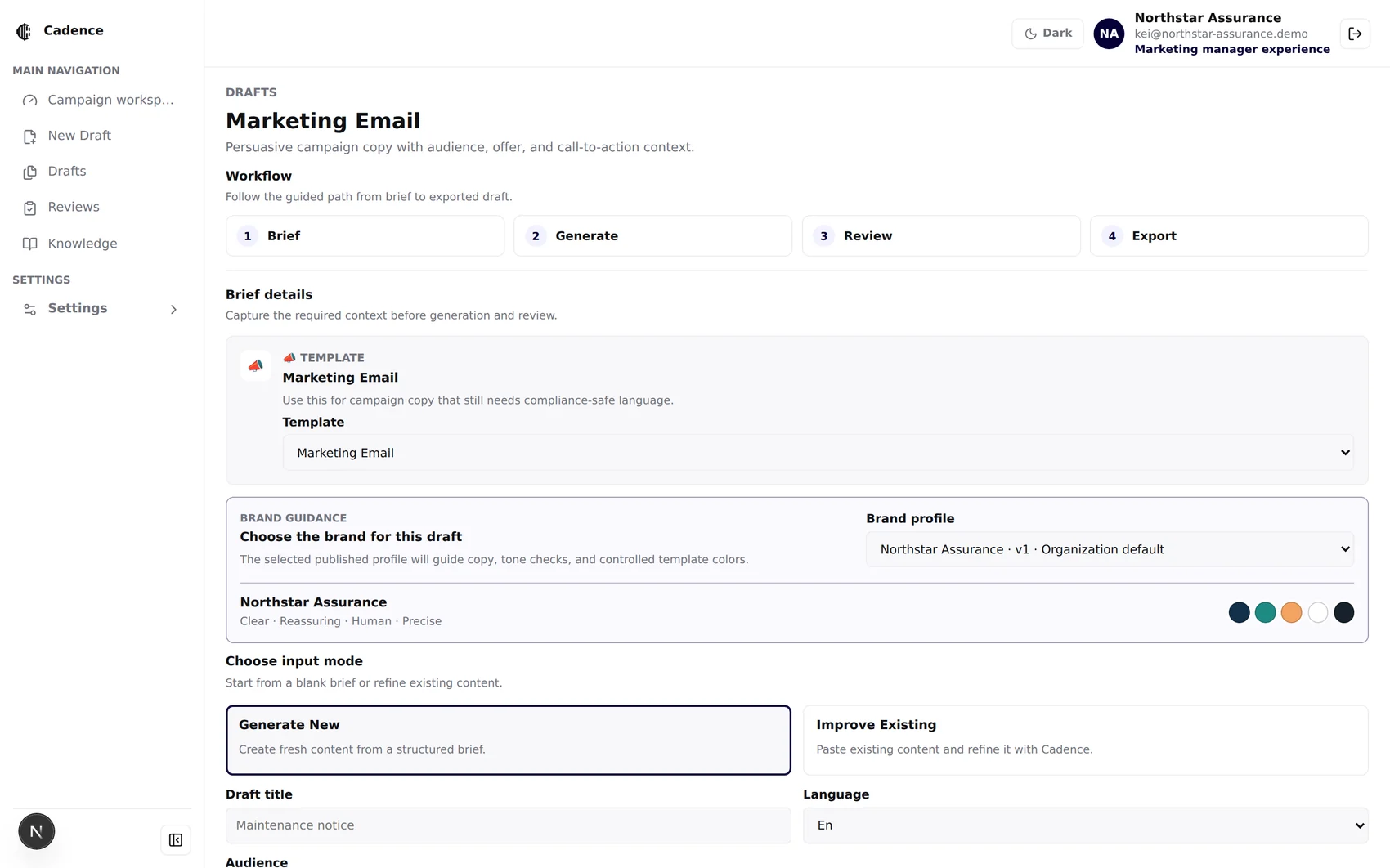
Brief · Brief → Generate → Review → Export
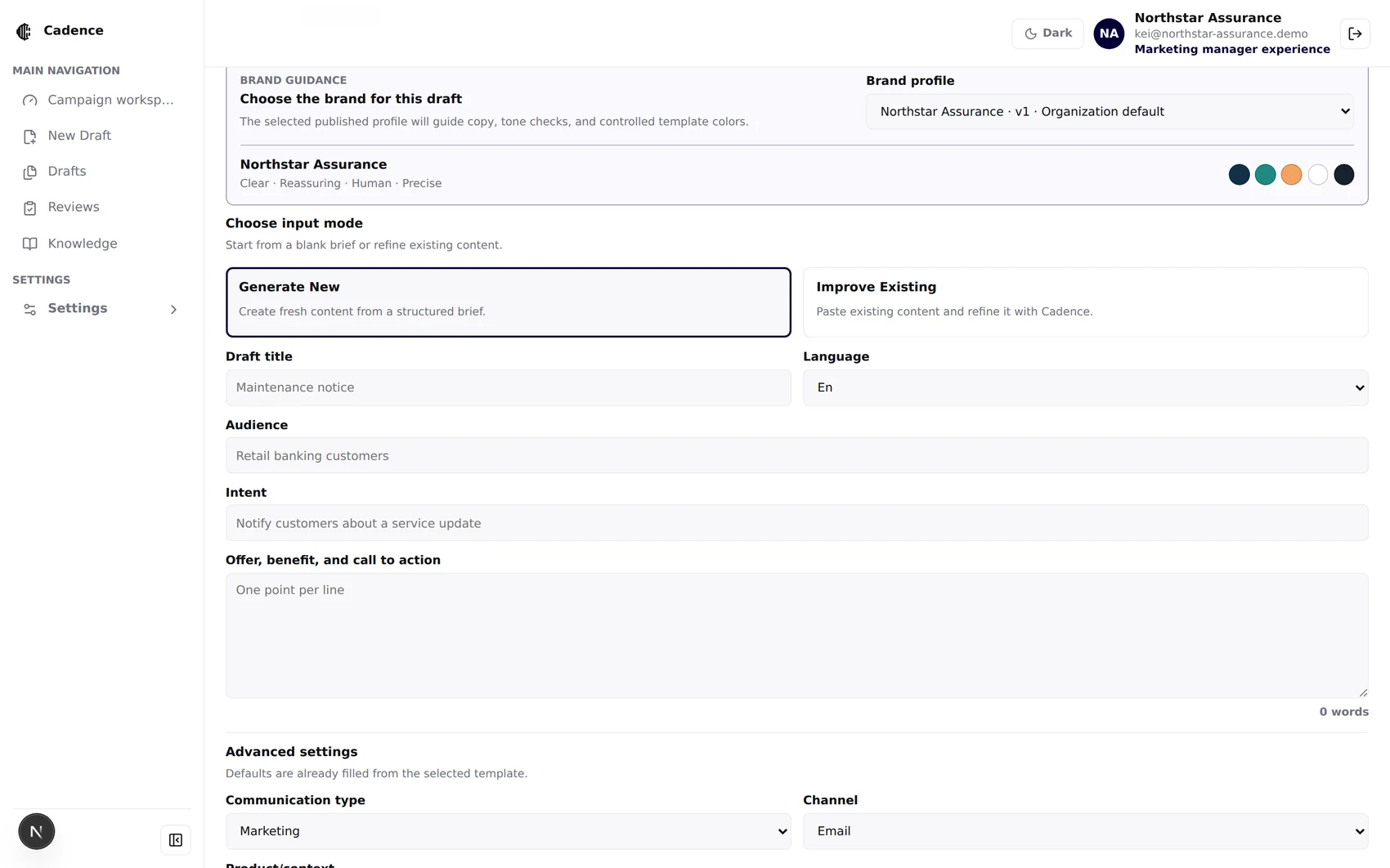
Advanced · channel, merge fields, model override
Generate New from a structured brief, or Improve Existing by pasting copy Cadence should refine.
SMS, push, email, letter, social — plus Instagram, Facebook, WeChat and LINE as their own targets.
English, Traditional Chinese (HK) and Simplified Chinese, with terminology preserved across all three.
A validated JSON object of string placeholders for personalised service comms.
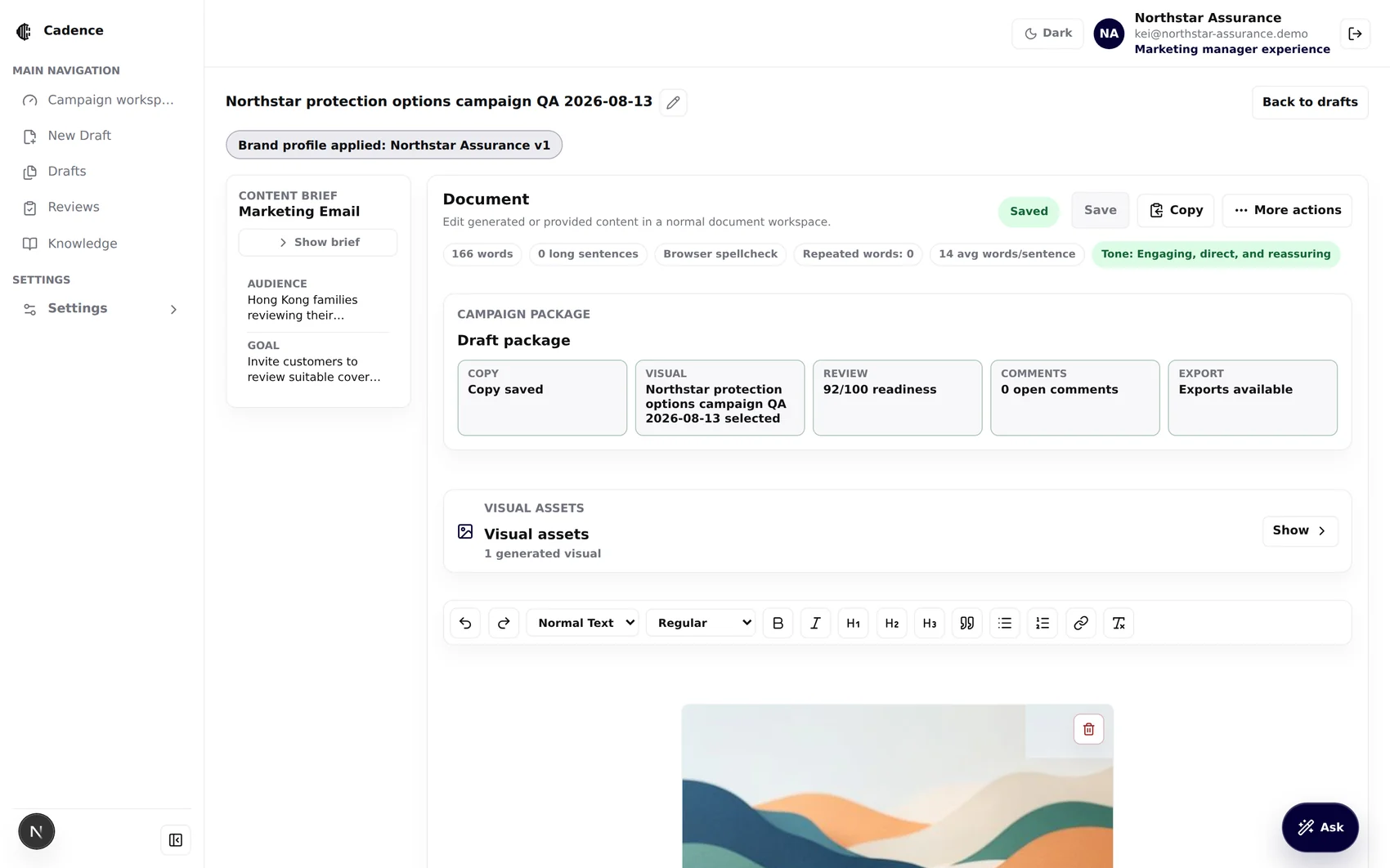
One screen that knowsthe whole package.
Change the brief, or just ask.
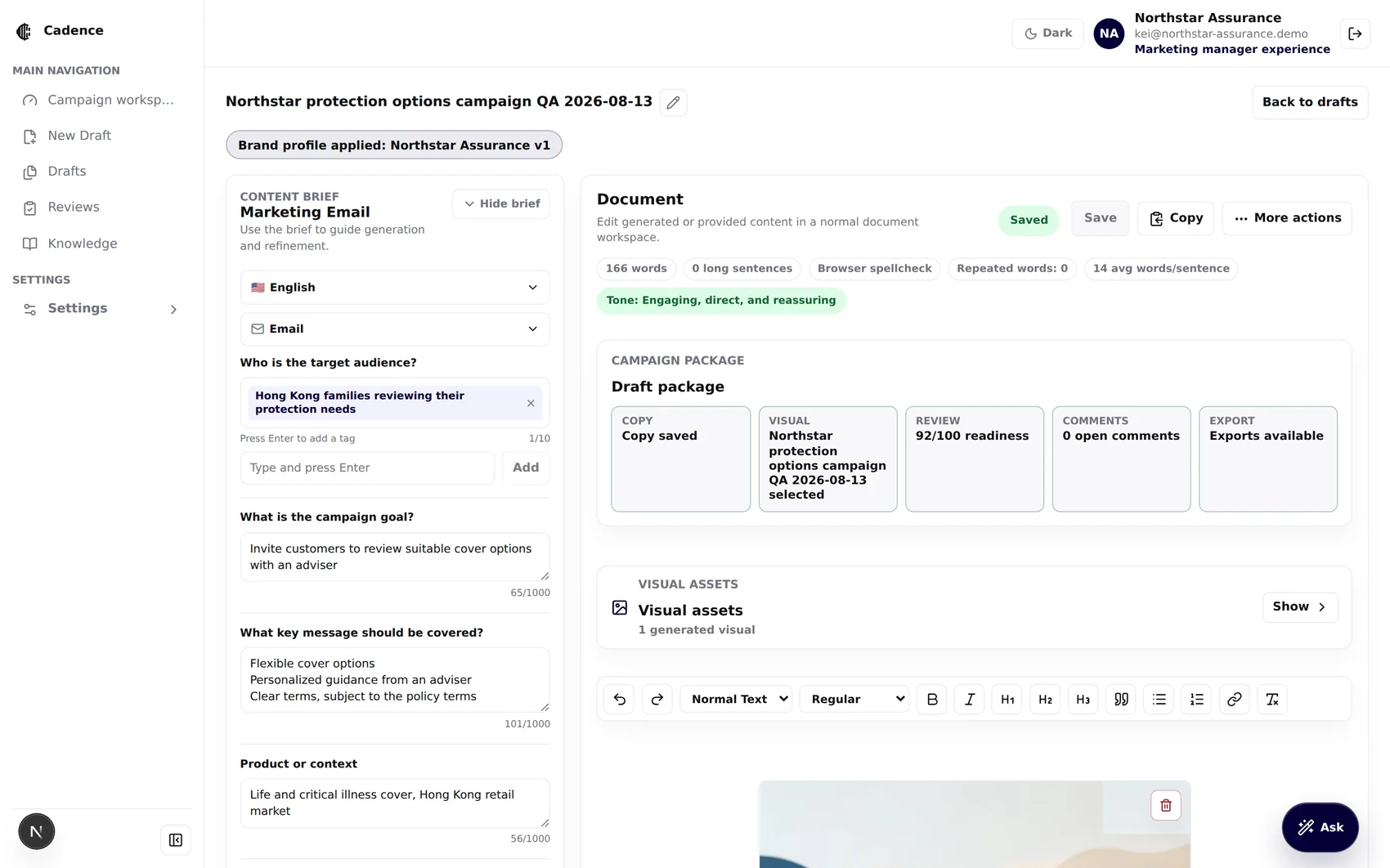
Guided brief · audience tags, goal, key message, tone
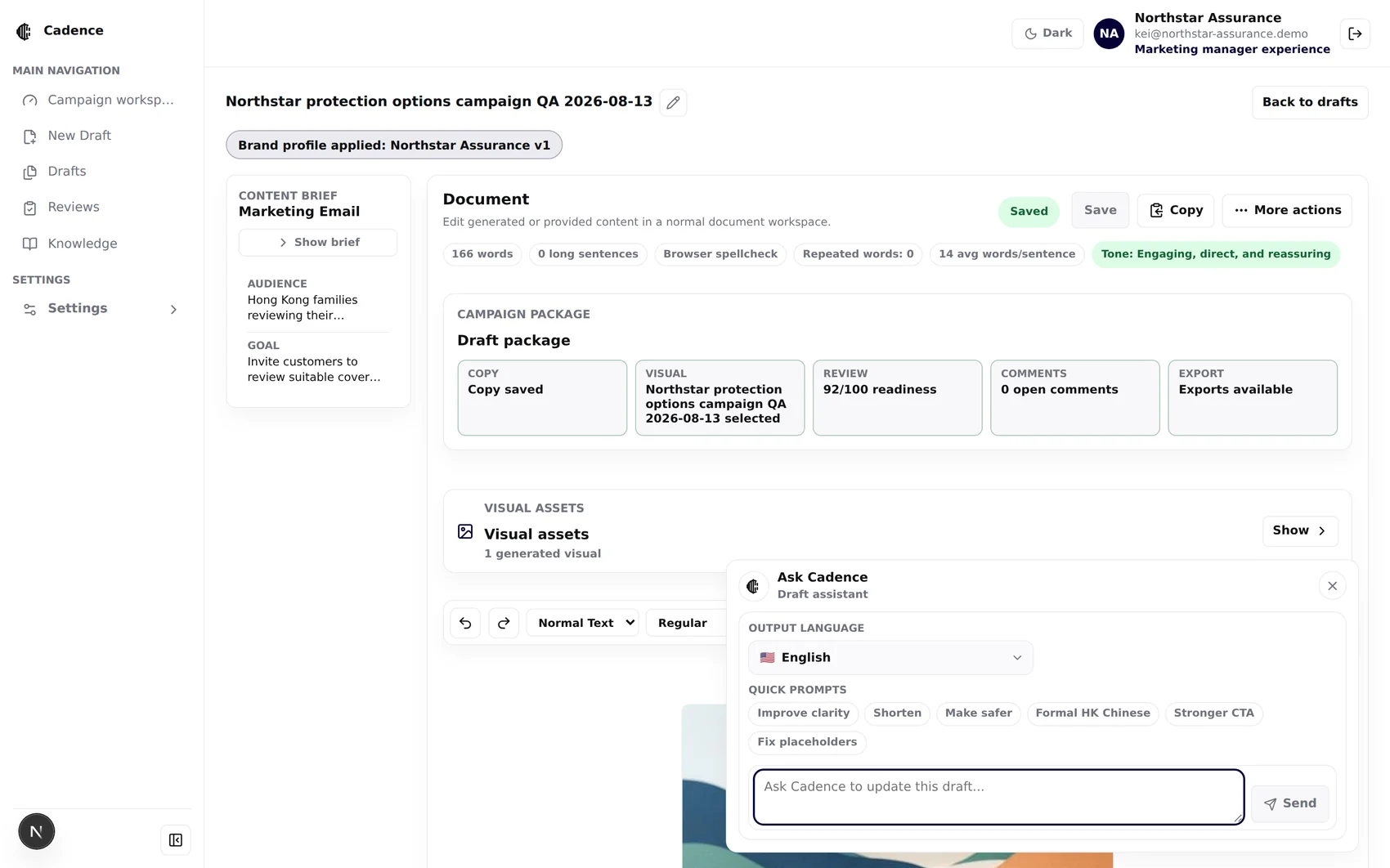
Ask Cadence · clarity · shorten · make safer · formal HK Chinese
Switch the brief language to Traditional or Simplified Chinese and regenerate. Approved terminology is preserved rather than translated word-for-word.
Switch the channel — a letter becomes an SMS notice that respects that channel's length constraints.
Generation is blocked while there are unsaved edits: “Save edited version before running generation actions.”
Optional imagery,on a short leash.
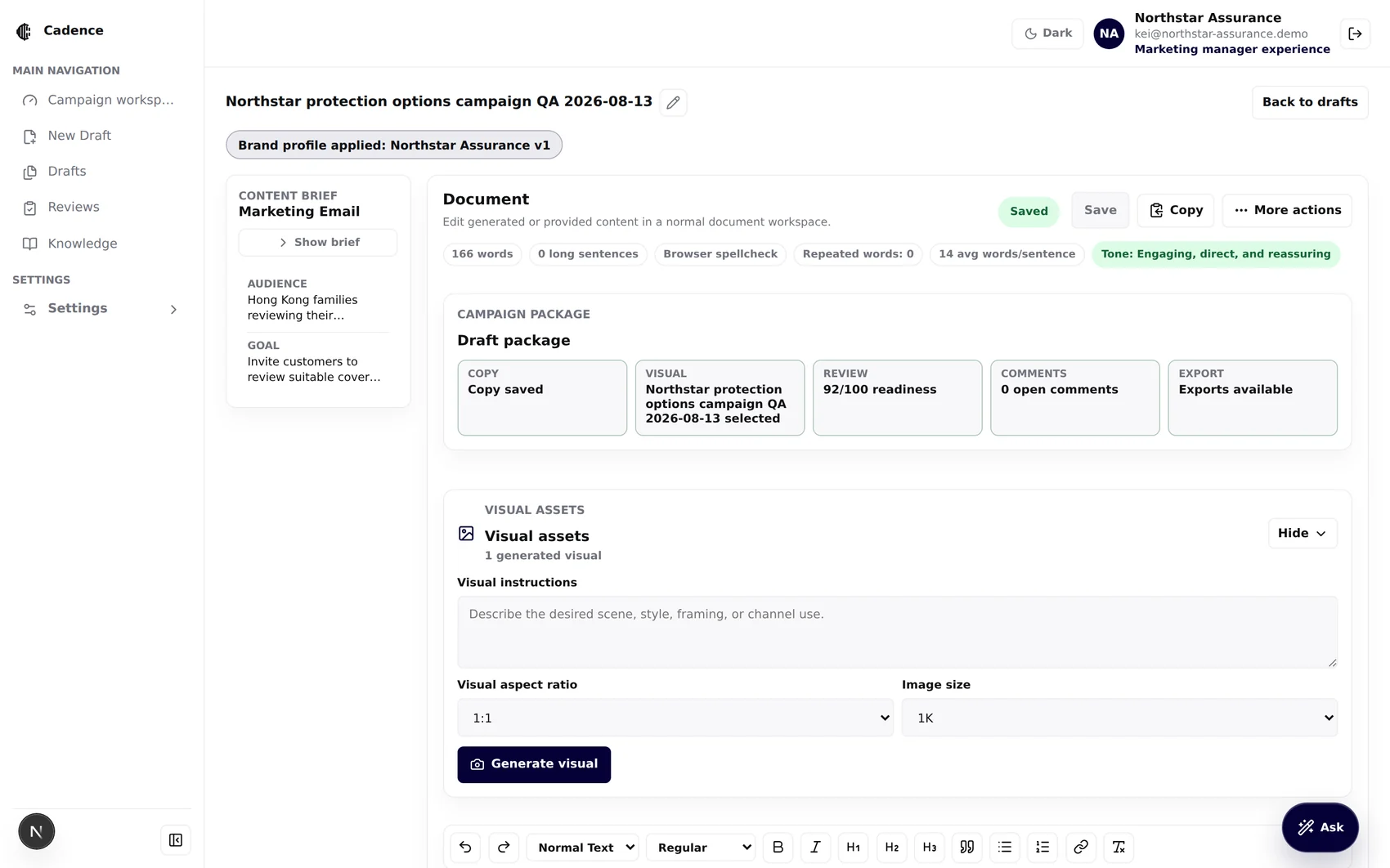
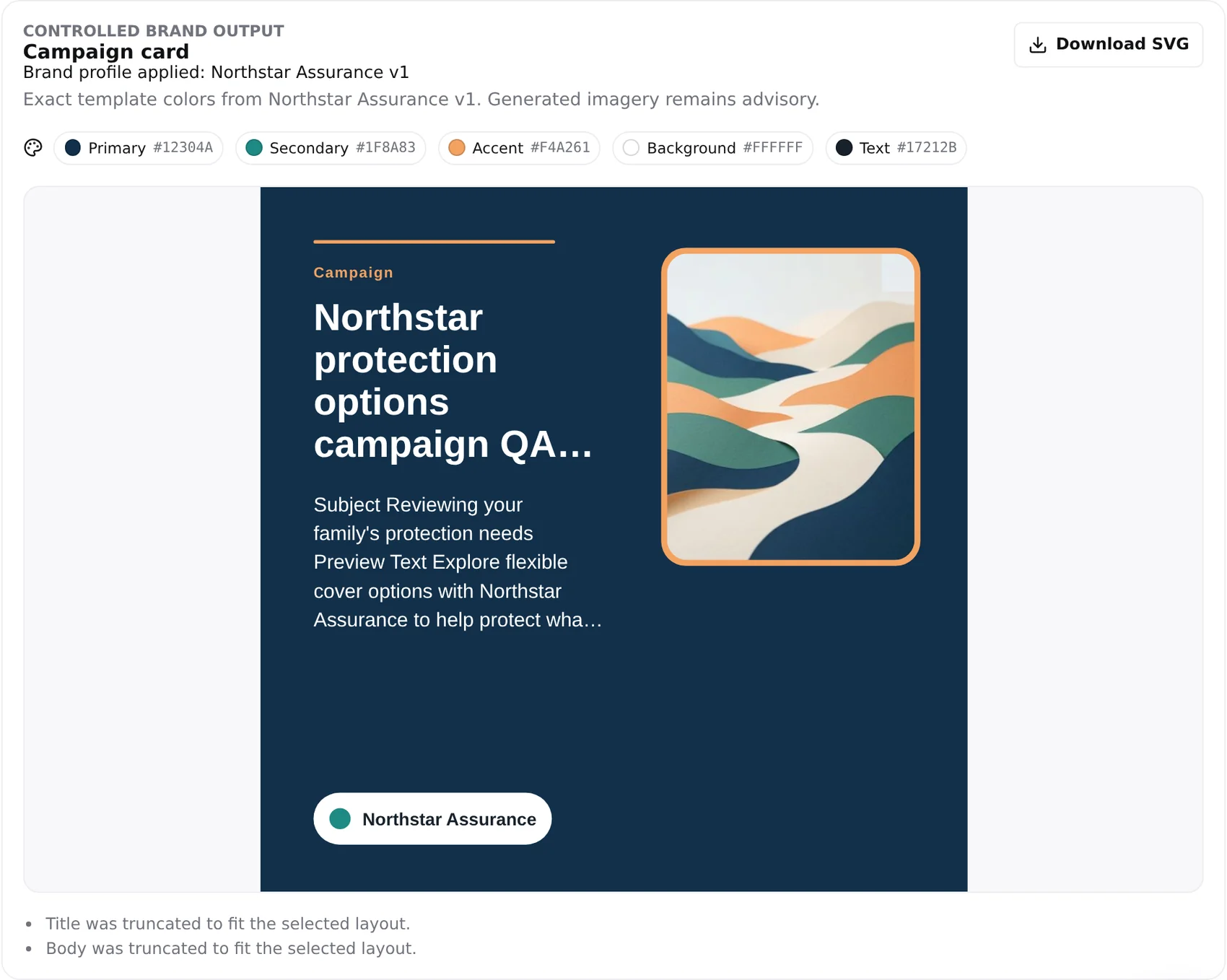
The frame isnot generated.
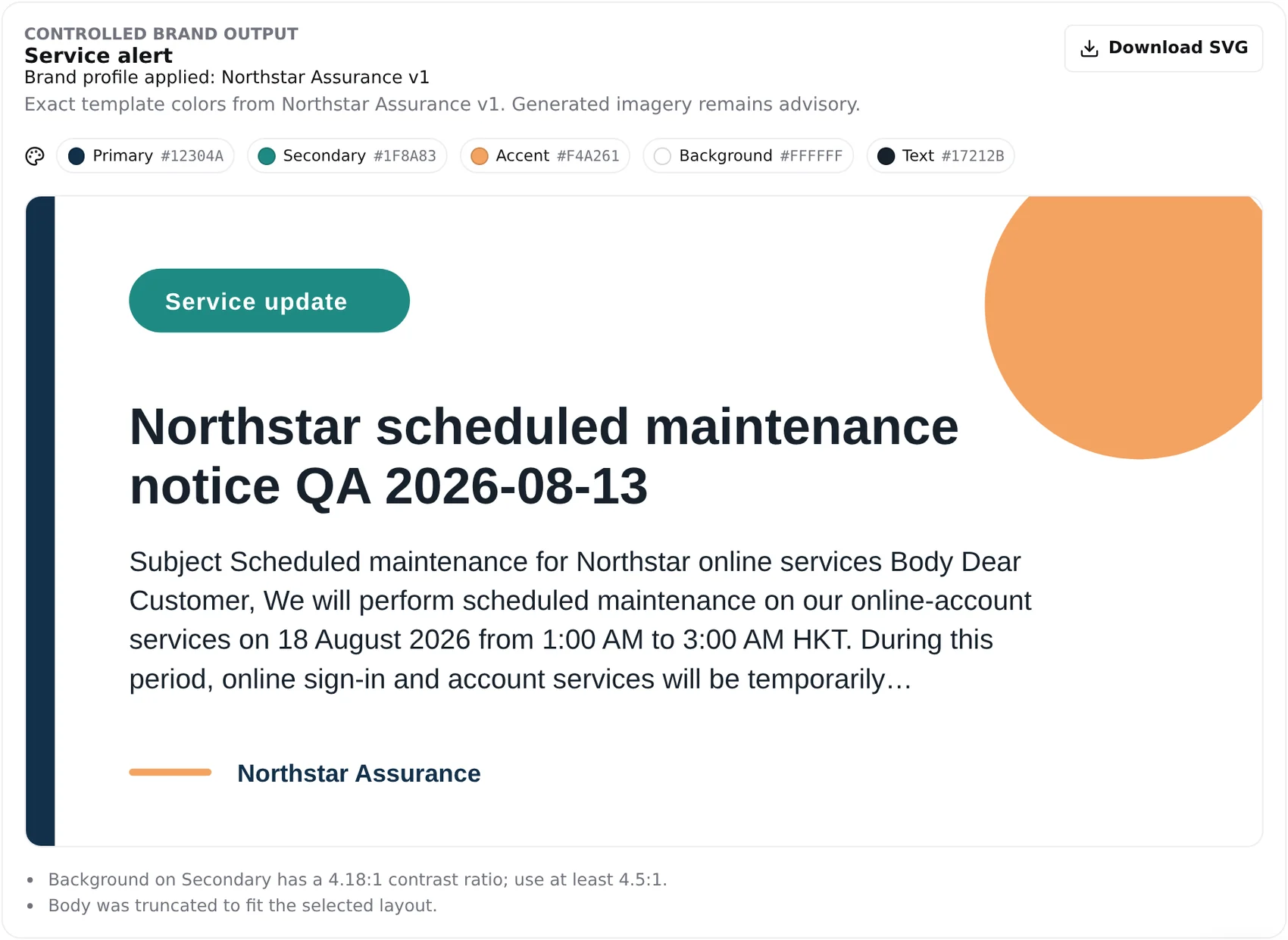
Two deterministic SVG layouts — a marketing campaign card and a customer-service alert — are rendered by code from the validated palette. The same renderer supplies both the preview and the download, so what you see is byte-identical to what you ship.
The honest line: “Exact palette fidelity is guaranteed for the controlled SVG frame, text, background and accents. Any AI-generated image placed inside the image slot remains advisory.”
It will tell you whenyour own brandis hard to read.
Nothing shipswithout a human.
This is where a demo usually shows the happy path. We are going to show you the draft that is wrong, and watch the system catch it — with evidence, and with a suggested correction.
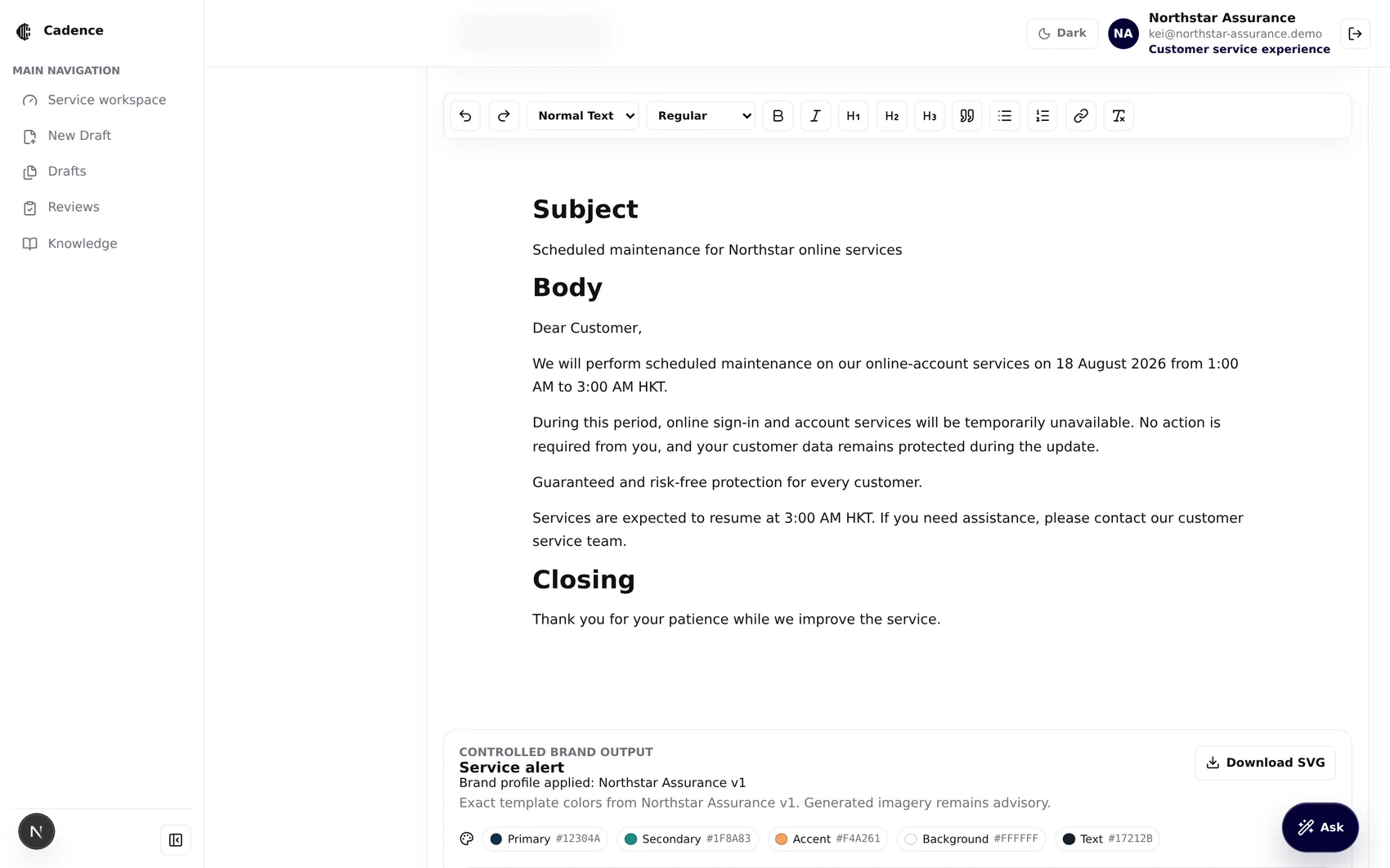
“Guaranteed andrisk-free protectionfor every customer.”
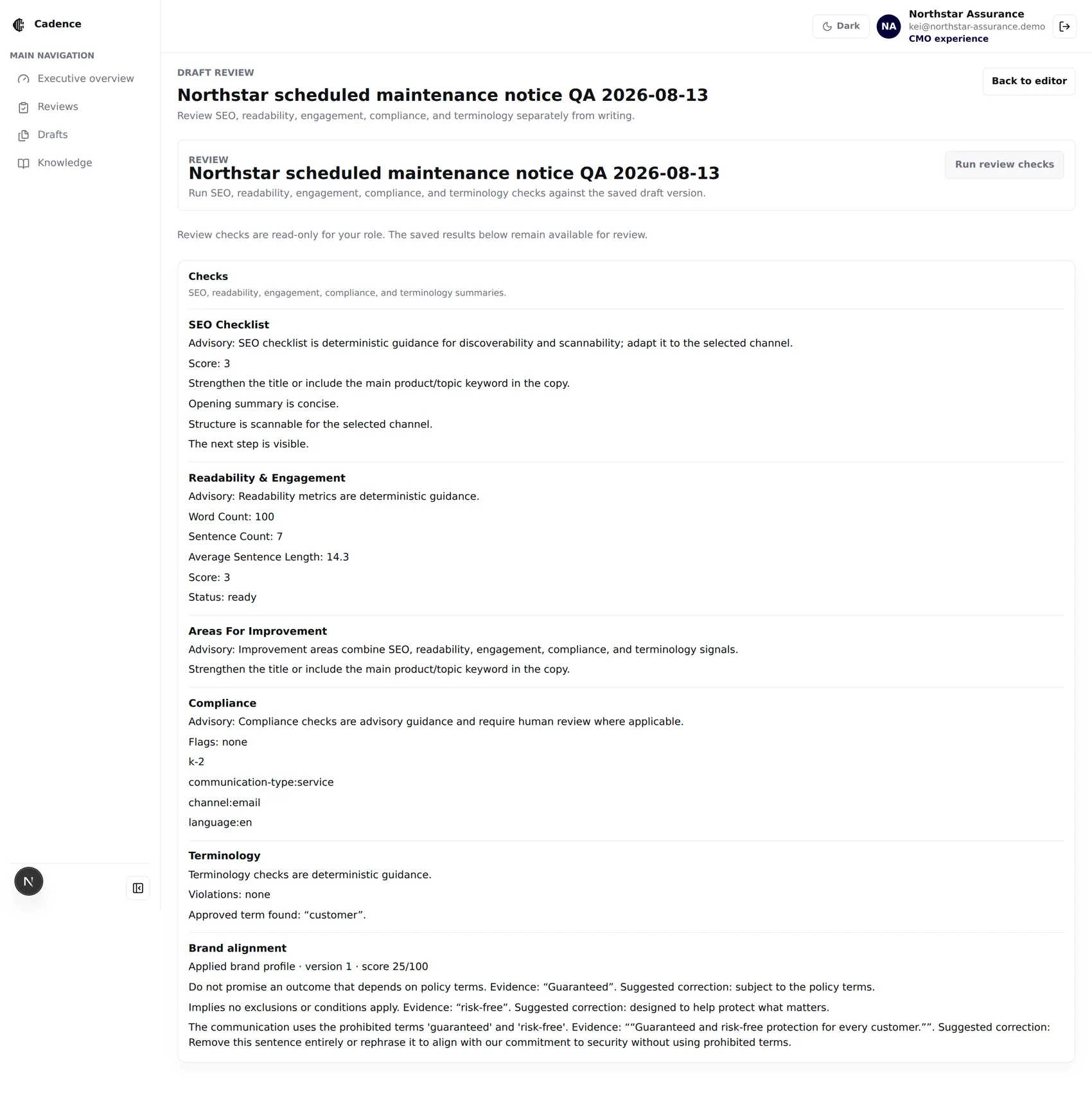
The rest of the notice is clean, calm and useful. One sentence uses two terms the Northstar Assurance brand book explicitly prohibits — and in insurance, that sentence is the one that costs you.
Evidence.Reason. Fix.
Say this: “This is independent validation, not merely prompt guidance. Cadence records which brand version was used and explains why the content is off-brand.”
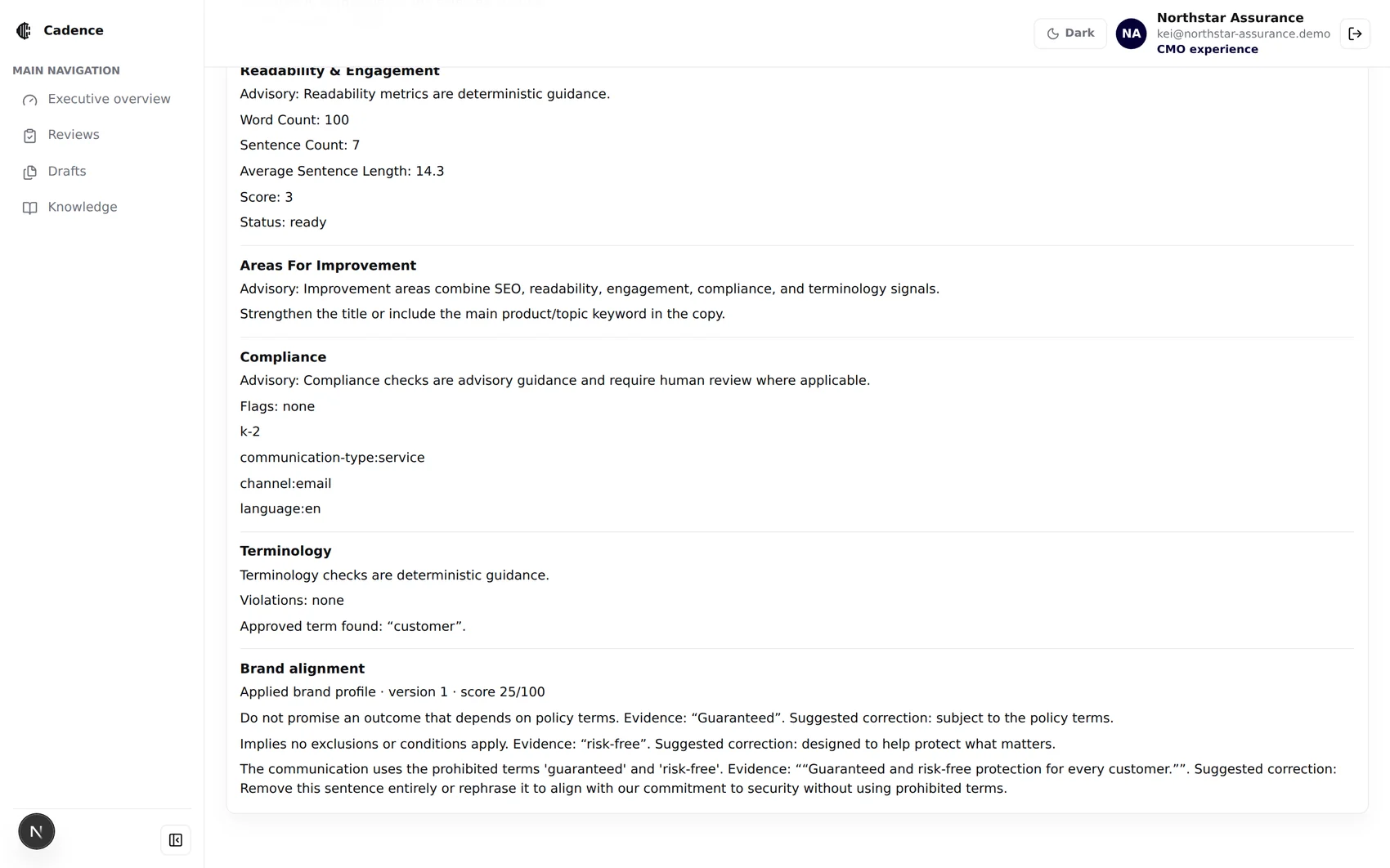
Advisory, andit says so.
Title and primary keyword, opening summary, heading structure, action clarity — scored per channel.
Word and sentence counts, average sentence length, engagement signals, direct address and a visible next step.
The union of every other signal, de-duplicated and capped at the eight that matter.
Flags against your own compliance sources, with the matched knowledge tags listed.
Glossary violations and approved-term hits across English, Traditional and Simplified Chinese.
Deterministic prohibited and preferred terms, plus an evidence-based contextual tone assessment.
Never claimed: Cadence says “Compliance review required” or “Potential issue flagged” — never “Approved”, “legally compliant”, or “ready to send”. Review aids, not legal approval.
Nothing is overwritten.
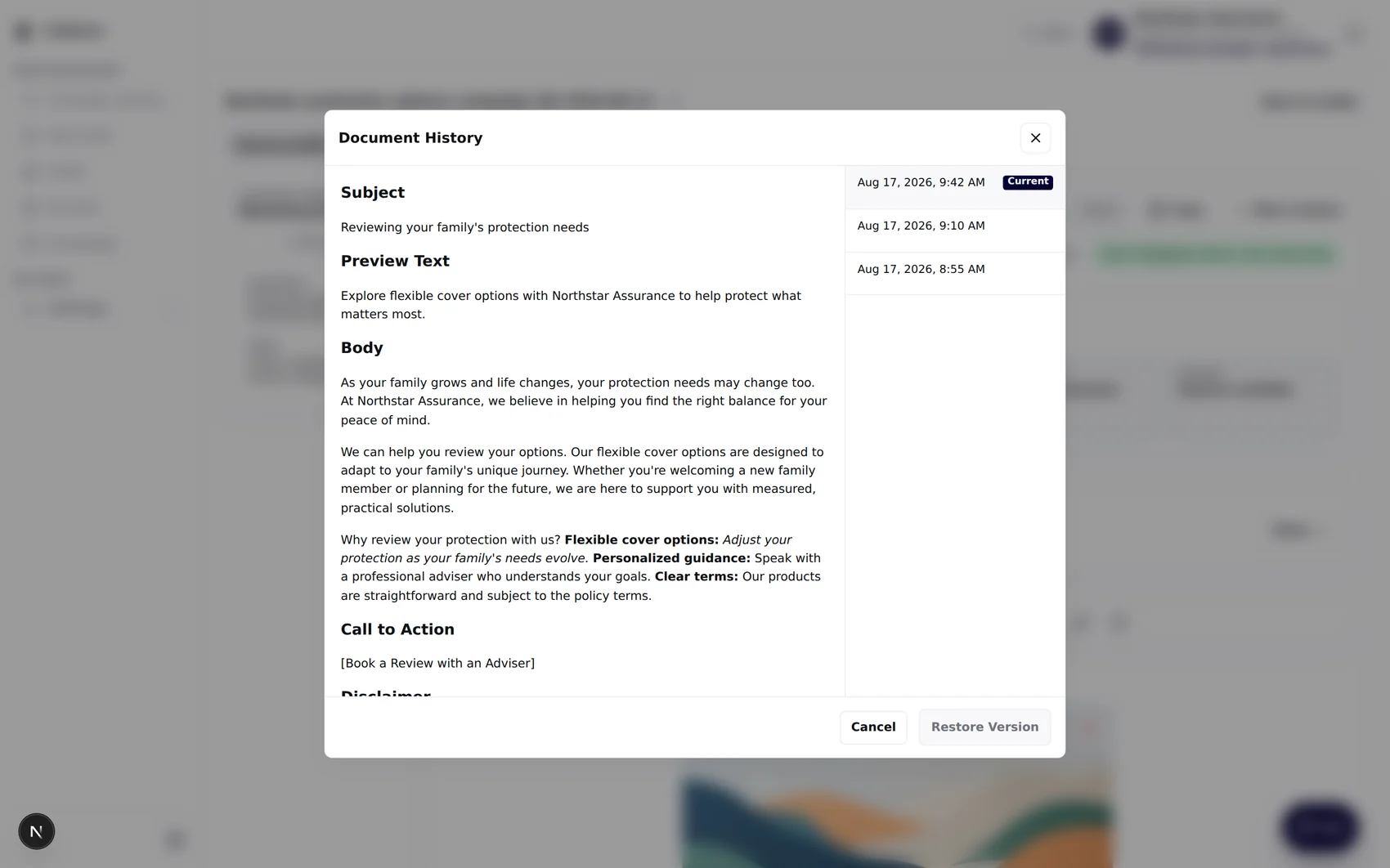
Versions · restore creates a new version
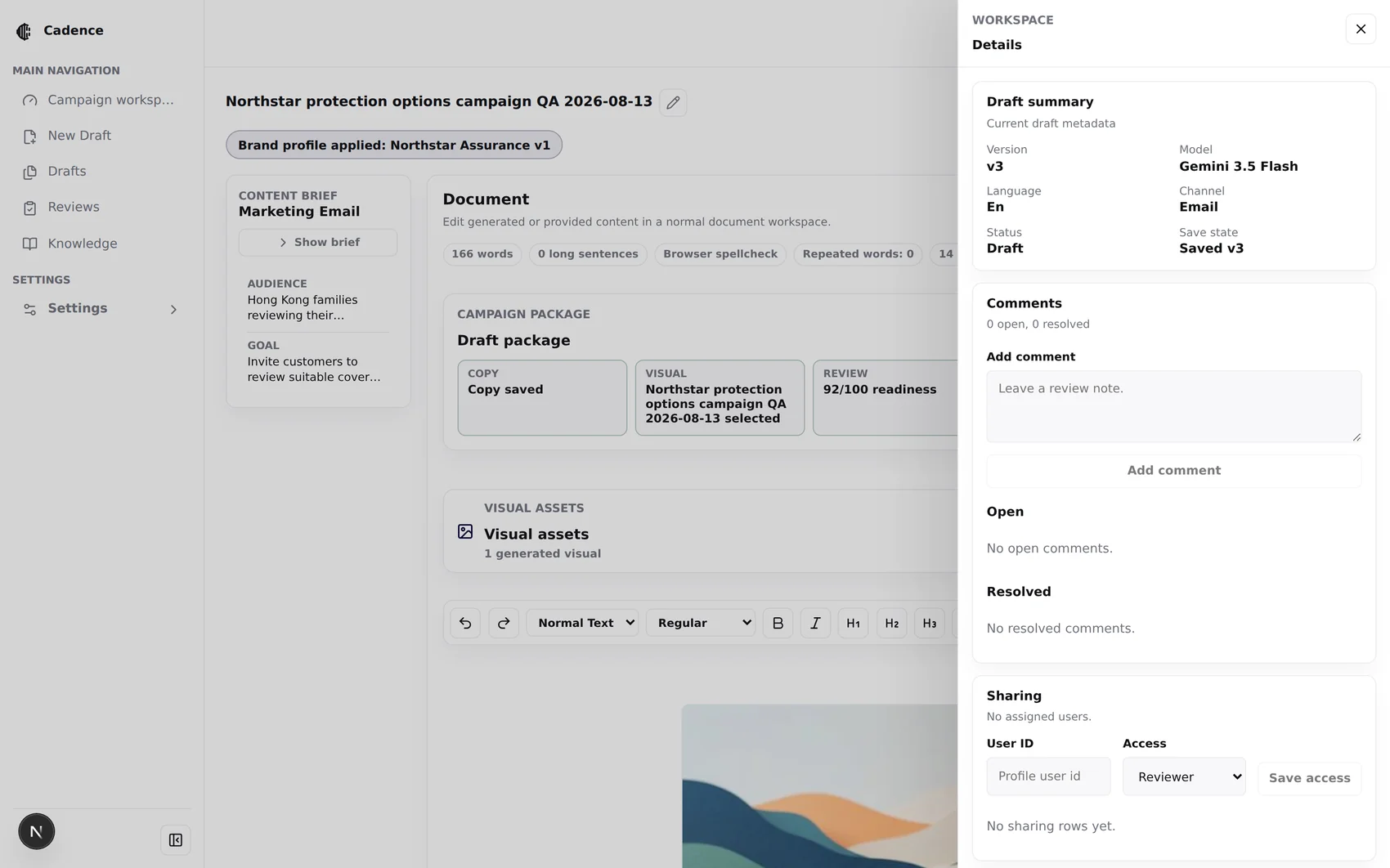
Collaboration · comments, per-draft access
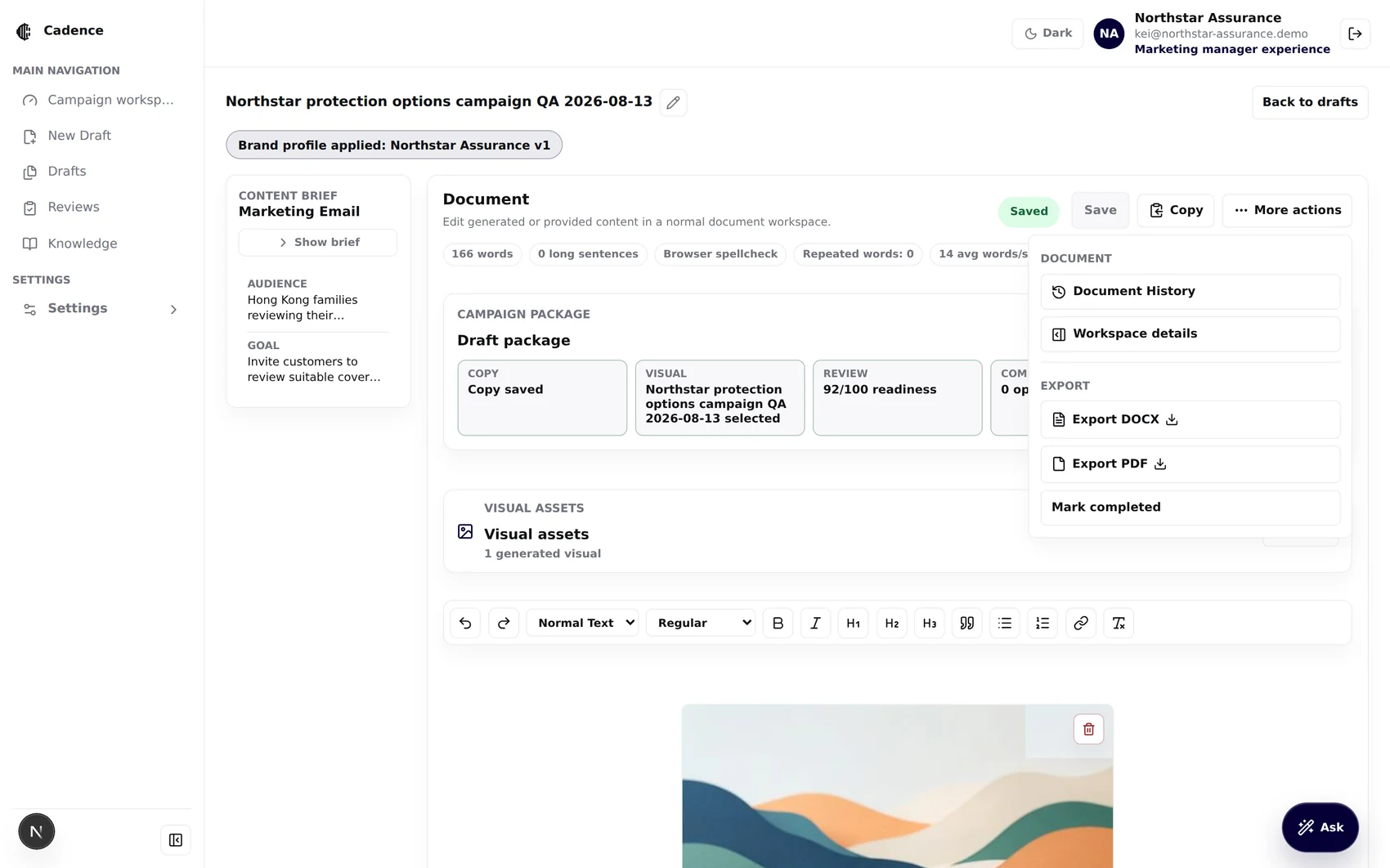
Hand-off · DOCX, PDF, Ready for review
Every save is a numbered version with its parent, source, model, language, channel and change summary.
A database trigger makes comment bodies and authorship unchangeable; authors may only resolve their own open comments.
Viewer, commenter, editor and reviewer grants, assignable by the draft owner or an admin.
Every mutating route returns 409 archived_draft. Archived drafts can be viewed and permanently deleted, nothing else.
Enterprise fromthe first commit.
Multi-tenant isolation, role-based access, configurable models, a complete audit trail and an admin-maintainable knowledge base — none of it retro-fitted.
The knowledge hub isthe actual deliverable.
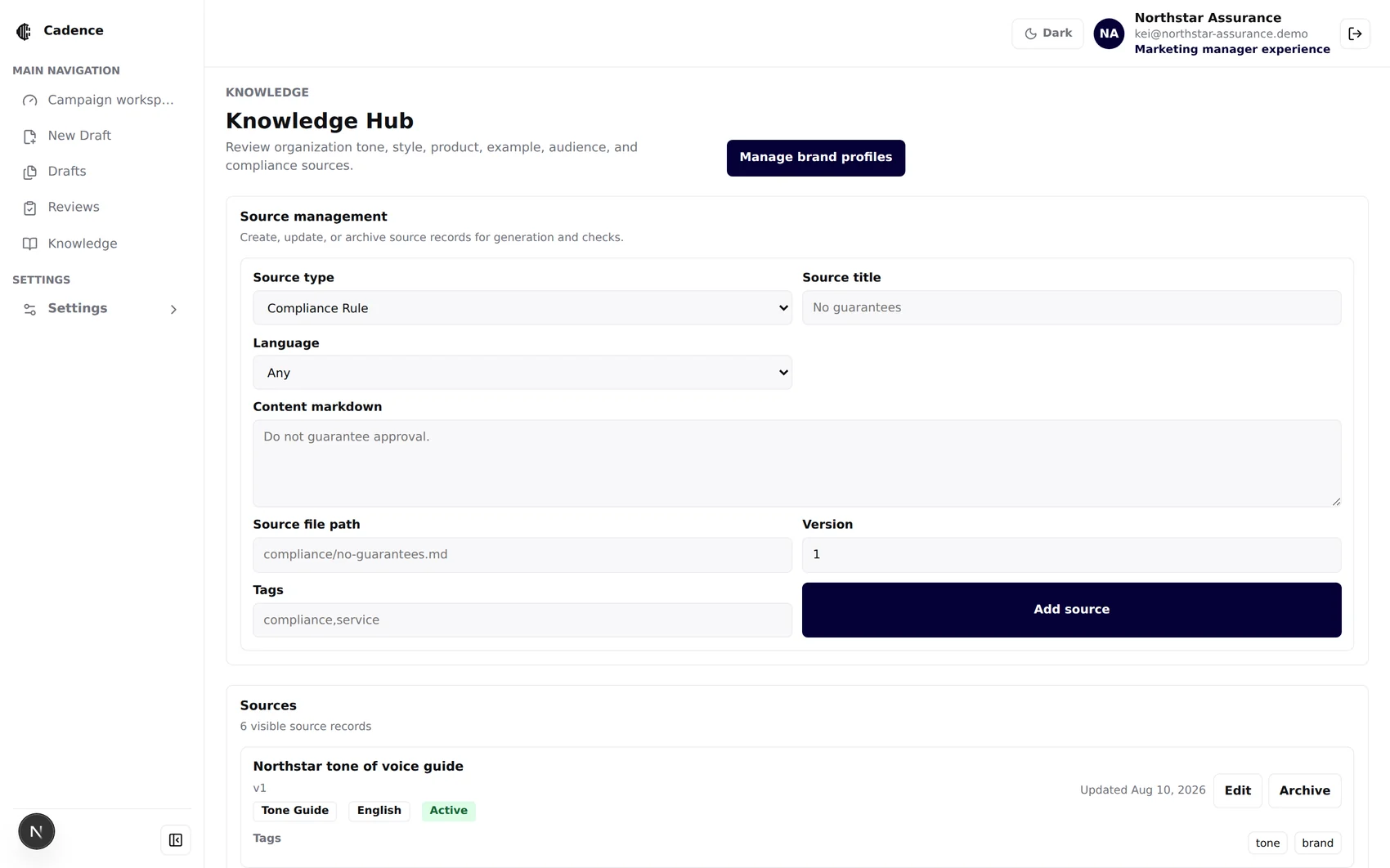
Sources · tone, style, product, compliance, example
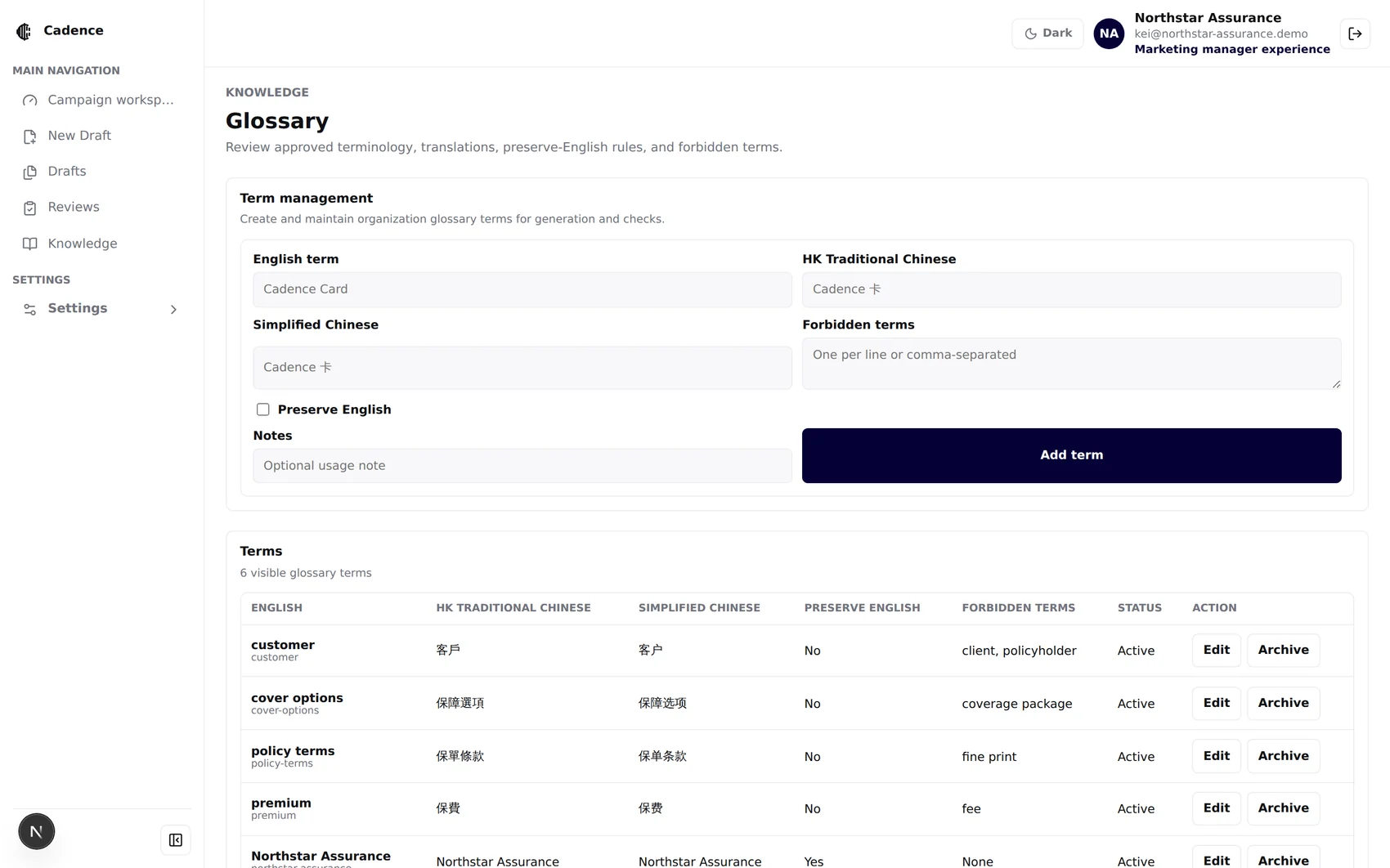
Glossary · trilingual, preserve-English, forbidden terms
Sources are matched by communication type, channel, language and audience tags, and only active records are ever retrieved.
Per-channel constraints are data: SMS 320 characters, push title 60 / body 140, Instagram caption 2,200, LINE body 500.
A brand-book source record is protected — the generic Knowledge Hub routes cannot edit, archive or delete it. Lifecycle only.
Swap the model without touching code.
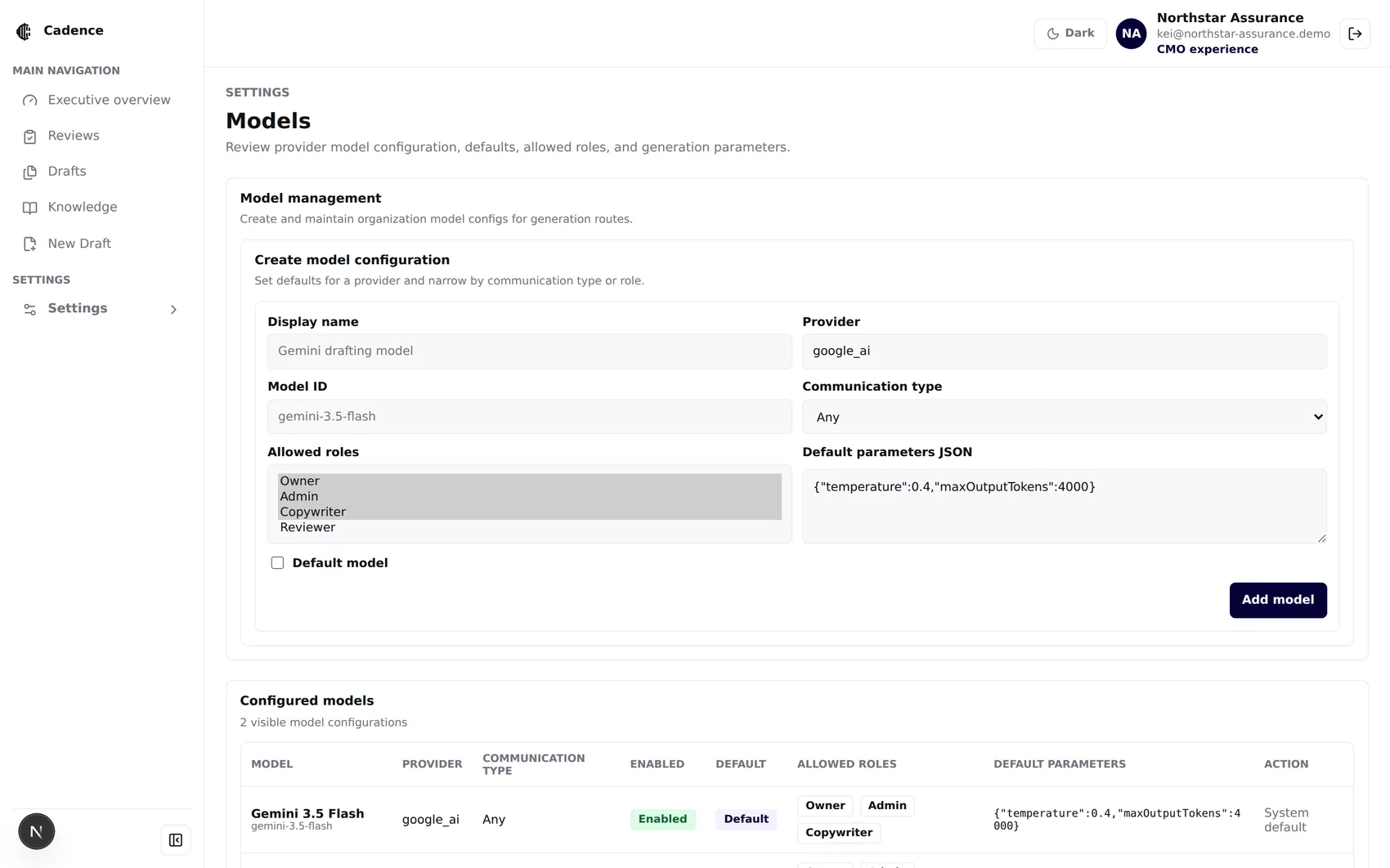
Models · provider, model id, defaults, allowed roles
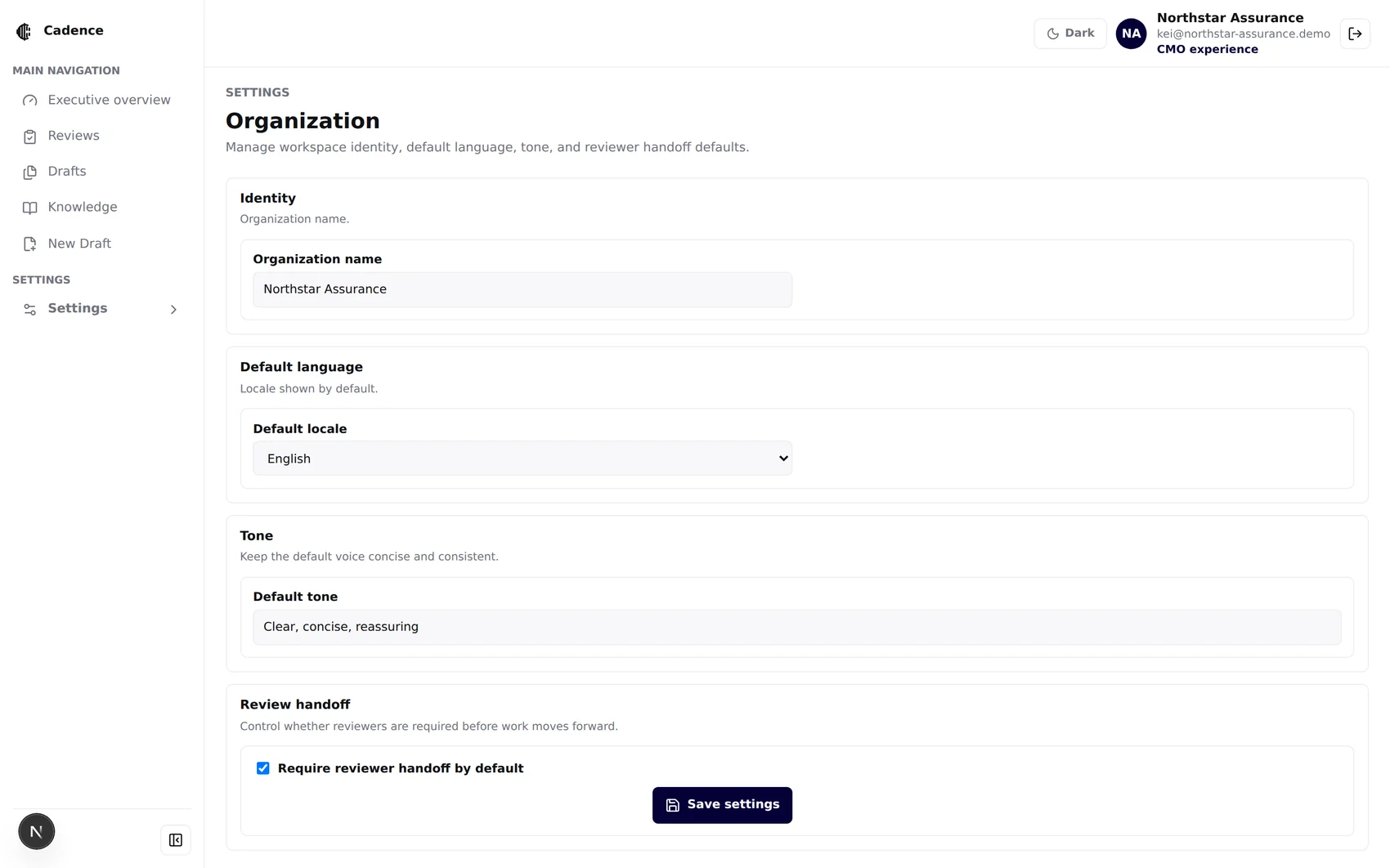
Organization · identity, locale, default tone, handoff
Provider, model id, display name, default parameters as JSON, and which communication type it serves.
A copywriter can be given a cheaper model and an admin a stronger one.
System defaults are read-only; disabling writes an audit event rather than deleting a row.
Default locale, default tone, and an optional “Require reviewer handoff by default” toggle — shipped off, switched on per organization.
Who, what, whichmodel, which version.
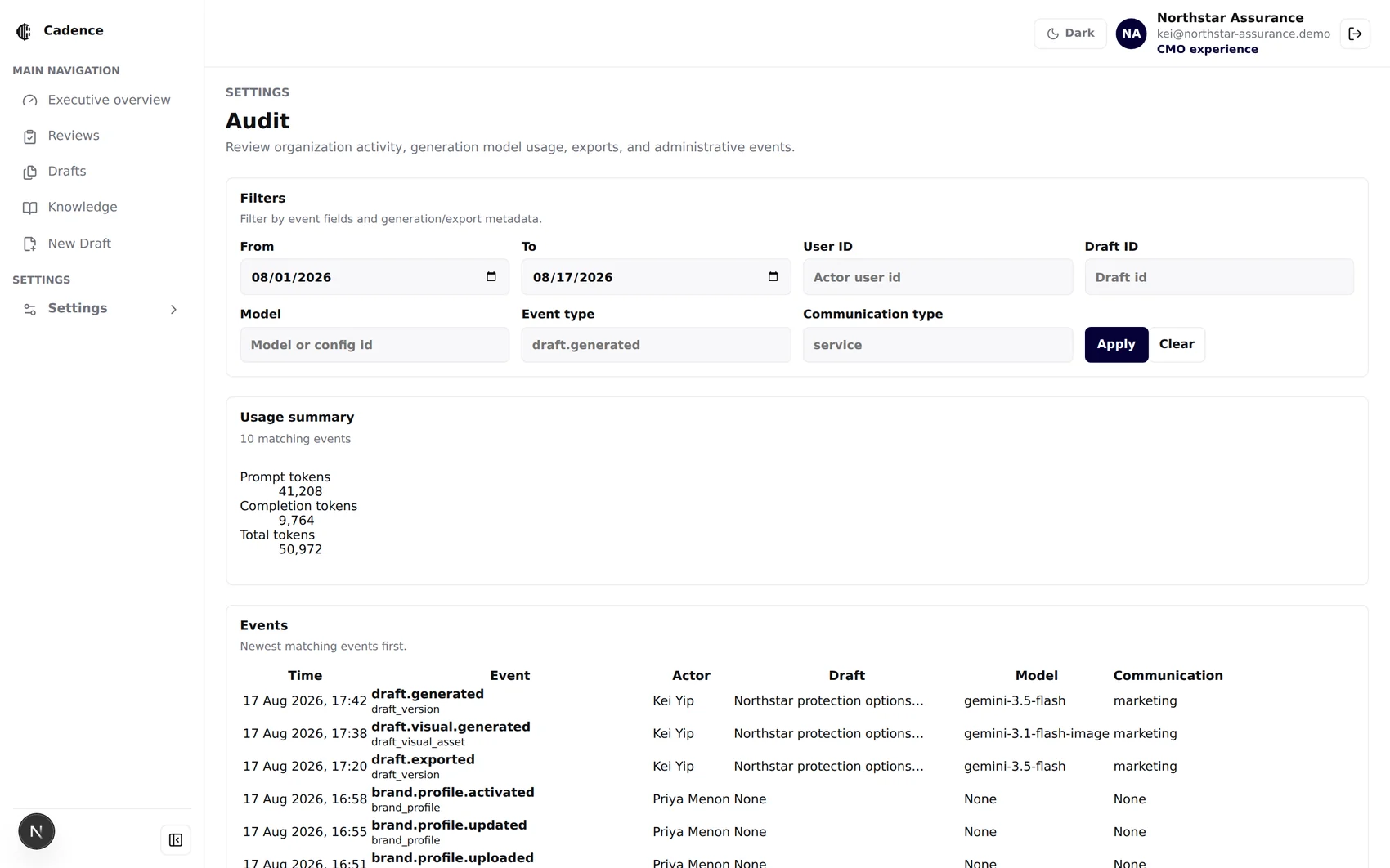
Isolation lives in thedatabase, not the UI.
Row-level security scopes organization data. Dedicated SQL suites exercise tenant isolation, permissions and conflicting writes in a disposable local database. Membership helpers and transaction guards support those boundaries.
Authenticated application access is scoped to active organization membership. Database policies enforce that boundary independently of navigation and visible controls.
The browser only ever holds the anon key. The service-role key, the AI key and the testing credentials are import-guarded so they cannot be bundled into client code.
Upload paths, sizes, MIME types, magic bytes and SHA-256 digests are all re-checked server-side. Storage paths are re-computed by a trigger and rejected on mismatch.
Admins can never create, modify or delete an owner row, and the last active owner cannot be removed.
Brand-profile create, activate and archive are service-role only — explicitly revoked from public, anon and authenticated.
Three buckets, all private. Signed URLs expire in an hour; brand-book sources cannot be mutated through the storage API at all.
Readiness results retain the profile id, version, source hash and whether contextual tone was actually evaluated.
Dark mode, mobile,and a collapsed rail.
Light
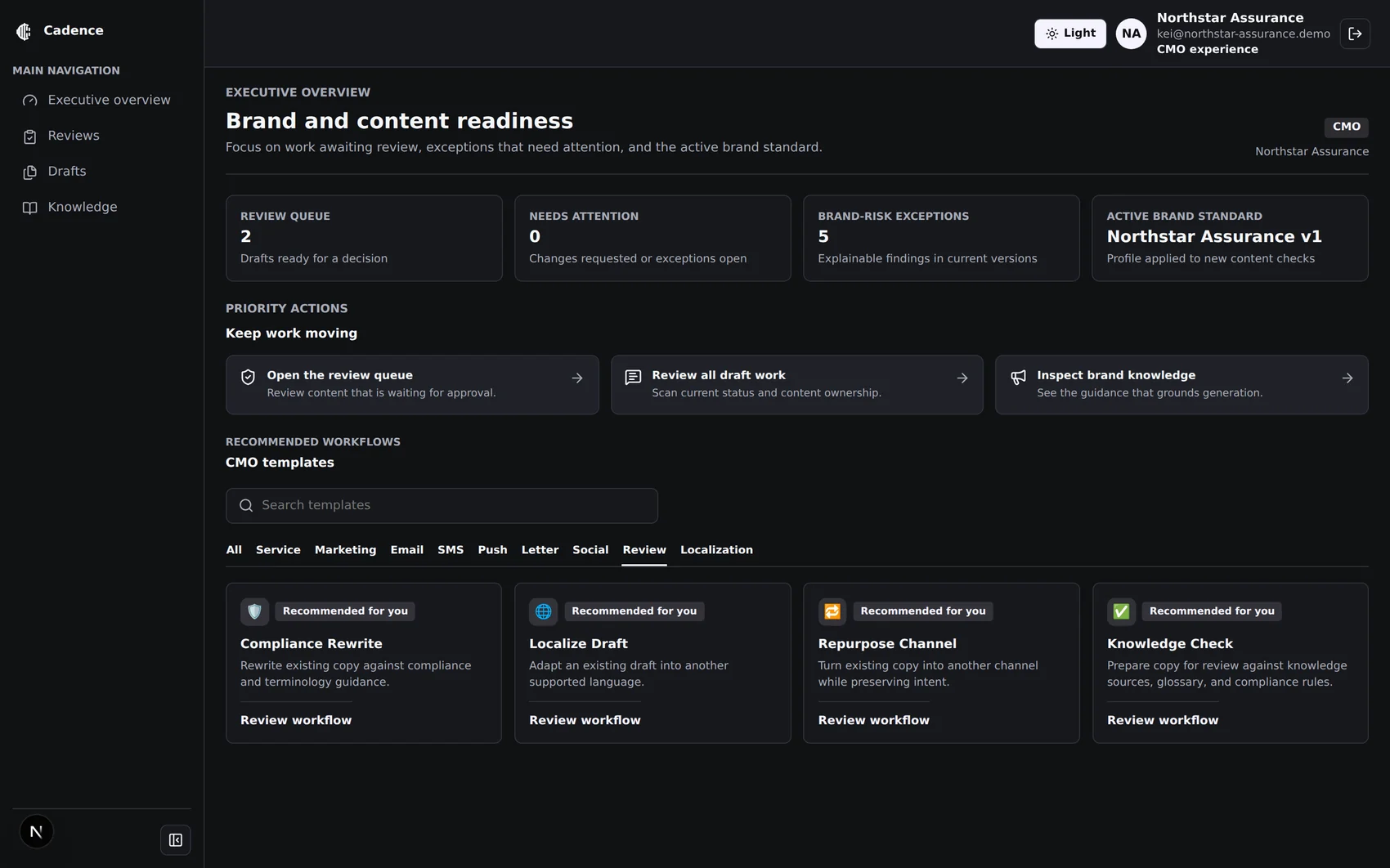
Dark · same screen
Collapsed rail
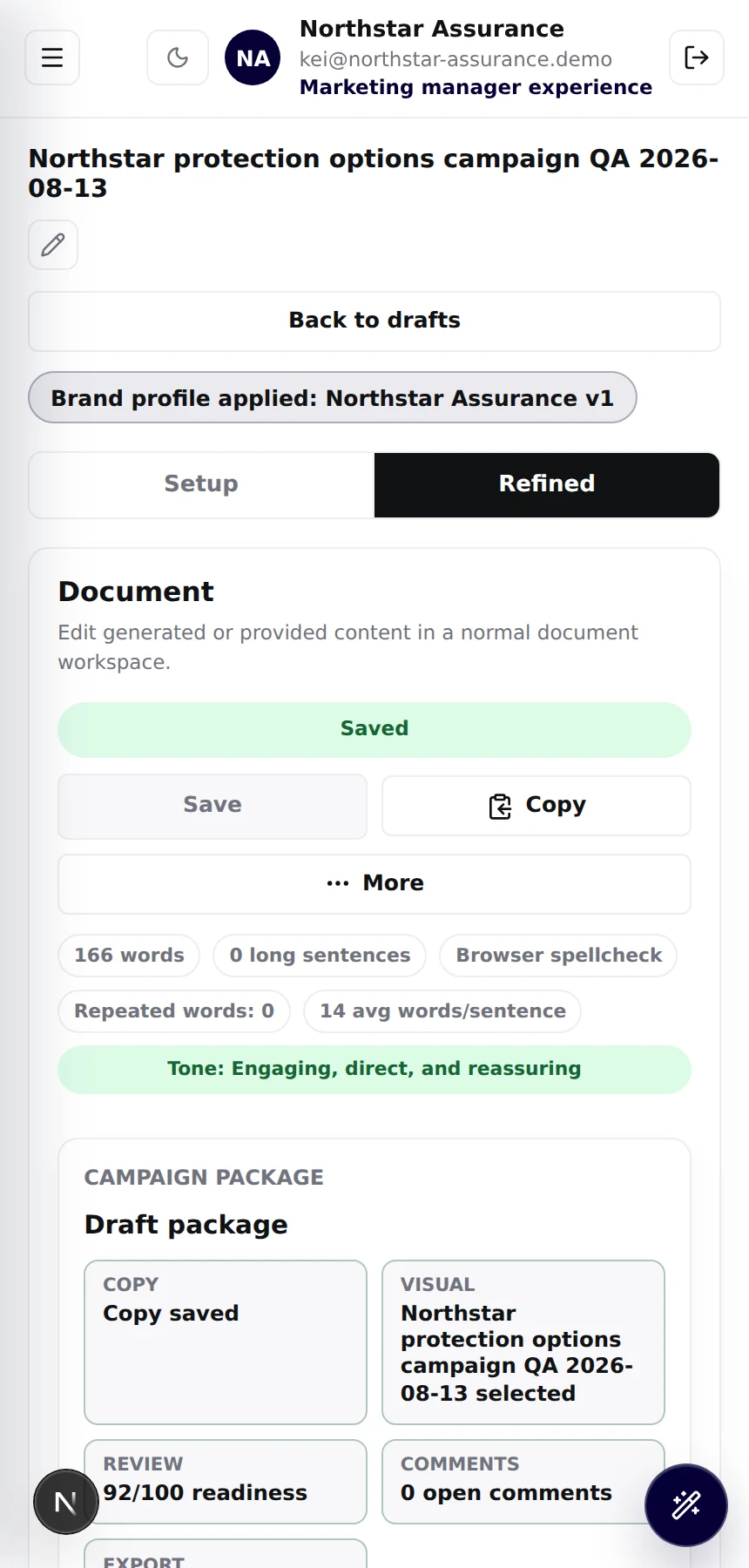
Mobile 390px
A blocking init script resolves the stored preference before first paint, so the app never flashes light then snaps to dark.
Below 900px the three-pane workspace becomes Setup / Refined / Original tabs. Verified at 1280×900, 768×1024 and 390×844.
Roving tab index on card radiogroups, labelled listboxes, live regions on save state and visual counts, focus-visible rings throughout.
The complete feature catalogue.
- Email + password sign-in
- Google OAuth
- Magic-link sign-in
- Self-service sign-up with workspace creation
- Password-reset email request
- Owner / admin / copywriter / reviewer roles
- General / CMO / marketing manager / customer service personas
- Invitations with 7-day expiry and revoke
- Deactivate and reactivate members
- Optional testing-login for local development only
- Persona dashboards with live metrics
- Priority action cards
- Template hub with search and ten category tabs
- Persona-ranked recommendations
- Drafts, Reviews and Archived lists
- Collapsible sidebar and mobile navigation
- Light and dark themes with no flash on load
- Inline draft renaming
- PDF / DOCX / Markdown / TXT brand-book upload
- Pasted-guidance fallback for scanned files
- Signed direct-to-storage upload
- Size, MIME, signature and SHA-256 verification
- Structured schema-v1 extraction
- Human review of every extracted field
- Explicit activation, default selection, archive
- Multiple published brands, one default
- Per-brief brand selection
- Extraction warnings and confidence surfaced
- Eleven templates across service, marketing and review
- Generate-new or improve-existing input modes
- Guided brief: audience tags, goal, key message, context
- Tone-and-focus presets
- Structured output: subject, preview, body, CTA, disclaimer
- Social pack across Instagram, Facebook, WeChat, LINE
- Regenerate against a changed brief
- Merge fields for personalised service comms
- Per-draft model override
- Rich document editor with headings, lists, quotes, links
- Font size and paragraph style controls
- Undo / redo and clear formatting
- Ask Cadence chat refinement
- Quick prompts: clarity, shorten, make safer, formal HK Chinese, stronger CTA, fix placeholders
- Copy as plain text
- Original source pane for improve-mode drafts
- Writing metrics with CJK-aware tokenizing
- SEO checklist scored per channel
- Readability and engagement summary
- Areas-for-improvement roll-up
- Compliance flags against your own sources
- Trilingual glossary and forbidden-term checks
- Deterministic prohibited / preferred terminology
- Evidence-based contextual tone assessment
- Readiness score with per-tile package state
- Persisted findings for reviewers
- Ready-for-review hand-off
Checks, output, governance.
- AI companion imagery with brand-derived prompts
- Fourteen aspect ratios, four output sizes
- Selected companion per package
- Deterministic campaign-card SVG
- Deterministic service-alert SVG
- Exact validated palette for frame, type and accents
- Contrast checking with explicit warnings
- Neutral fallbacks for missing tokens
- Identical preview and download
- Immutable numbered versions with parent chain
- Version preview and restore
- Comments with resolve
- Per-draft viewer / commenter / editor / reviewer access
- DOCX export
- PDF export
- Archive and permanent delete
- Read-only archived drafts
- Tone, style, product, compliance, example and audience sources
- Tagged retrieval by type, channel, language, audience
- Trilingual glossary with preserve-English rules
- Channel templates with per-channel constraints
- Versioned source records with archive
- Protected brand-book source records
- User management with role and persona controls
- Organization identity, default locale and tone
- Reviewer-handoff default
- Model configuration by provider and model id
- Per-model allowed roles and parameters
- Soft-disable models
- Audit log with filters and token roll-up
- Row-level security for organization data
- Organization context enforced on every route
- Service-role key never reaches the browser
- Service-role-only governed lifecycle functions
- Private storage buckets with signed URLs
- Tenant-consistency database triggers
- Owner-membership protection
- Append-only audit events
- Redirect sanitisation on every auth hop
- Generation-run snapshots with prompt hash
- Knowledge source ids per run
- Token usage and latency per run
- Brand profile id, version and source hash on results
- Canonical profile hash for reproducibility
- Whether contextual tone was actually evaluated
- Reviewer and activation timestamps
What we do not claim.
Say these before the client finds them. Credibility in a regulated buyer's room is built out of the things you refuse to overstate.
No legal approval
- Compliance and glossary checks are review aids, not legal or regulatory approval
- Output is a draft pending human sign-off
- Cadence never auto-publishes or auto-sends
No pixel-exact AI imagery
- Exact colour applies to the controlled SVG only
- Generated imagery is advisory and needs human review
- No logo or custom-font embedding
No OCR
- Scanned PDFs are rejected, not silently mis-read
- A pasted-guidance fallback is offered instead
- Text-based PDF, DOCX, Markdown and TXT are supported
A brief's brand is chosen at creation and cannot be switched afterwards. Personas never drive authorization. No vector retrieval or free-form template editor yet.
No integration with send or dispatch systems, no automated approval or publishing, no connection to agency campaign engines.
Data region, PII handling, retention periods and prompt-snapshot redaction are documented production blockers to agree with the client, not hidden ones.
Ready for stakeholderand product review.
Unit and route suites cover generation, review, permissions and version integrity.
Tenant isolation and concurrent-write checks passed in disposable local PostgreSQL.
Production-build validation checks the assembled pages and API routes.
Lint and type checking are part of the application verification command.
Brand selection, saved-draft context and export responses were checked in a curated demonstration. This is historical evidence for that scenario, not acceptance of every client workflow.
Reviewer roles retain restricted creation and brand-management access. Assigned reviewers can inspect saved content and rerun checks without editing it; archived drafts remain read-only.
Public responsive journeys have Chromium coverage at desktop, tablet and mobile widths. Authenticated journeys require controlled accounts and fixtures; skipped or mocked steps have separate limits.
Deployment acceptance: local SQL/RLS and concurrency checks have passed. Hosted authentication, mail, storage and complete client workflows still need their own acceptance evidence. Test counts and skipped journeys belong to the dated verification report, not a permanent product promise.
Seven minutes.Three people. One brand.
The film uses captured application screens to introduce the workflow. Labels and permissions may evolve; the live workspace shows the current behavior. Here is a suggested walkthrough.
Persona assignments
Role and experience are different columns.
CMO executive view
Readiness and risk, not a blank page.
Brand-book lifecycle
Upload, extract, review, activate.
Choose a brand per draft
Northstar to Spark, live palette change.
Marketing output
92/100 readiness and the controlled card.
Service output
Same brand, different contextual tone.
The CMO catches it
25/100, evidence, suggested correction.
Close
What is in, and what is deliberately not.
“A security role controls what a user may do. A business persona changes what the workspace recommends. We never turn a job title into a permission.” Opening line · 30 seconds
Screens in this film are historical Cadence demonstration captures using the fictional Northstar Assurance brand. Scores and sample outputs illustrate that captured scenario. Rehearse client workflows with controlled accounts and approved source material.
Press ← / → to move between sections · Home returns to the top.